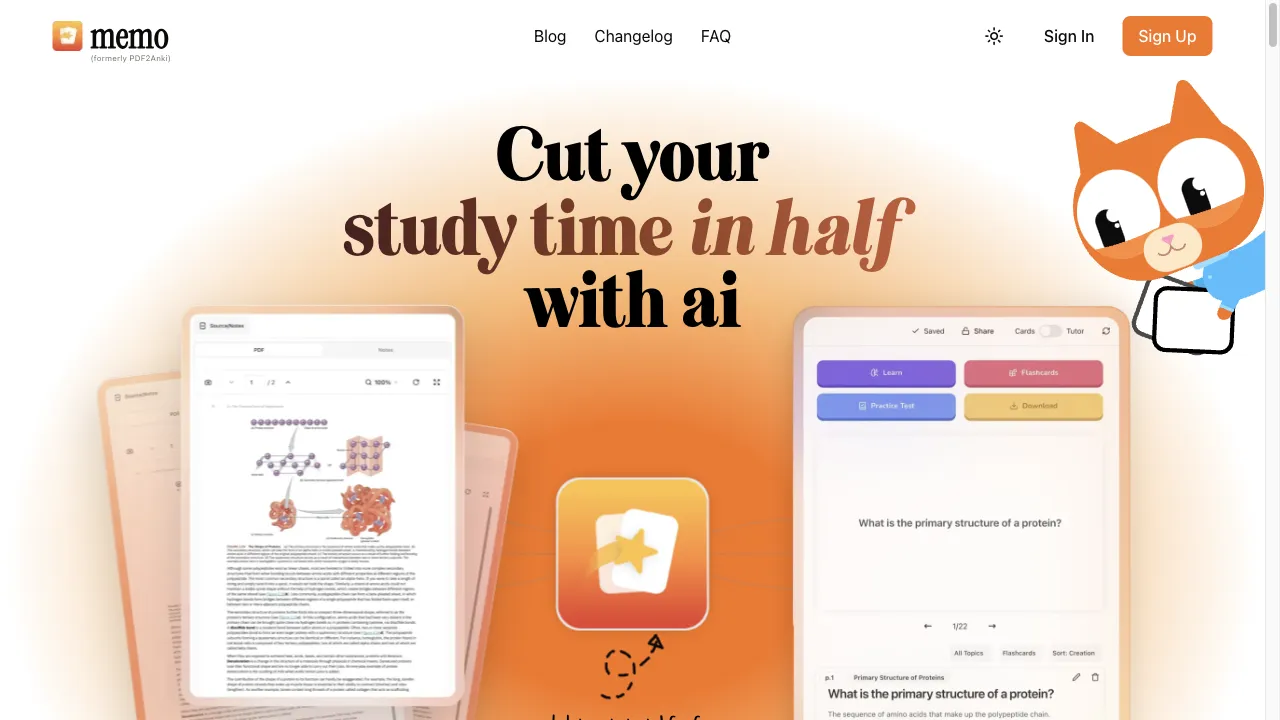
What is PDF2-Anki?
PDF2-Anki is an online tool that converts PDF documents into Anki flashcards, enhancing study efficiency through customizable content extraction and seamless integration with Anki. It supports various users, including students, educators, and professionals, allowing for the easy transformation of lengthy documents into manageable study aids. Users can upload PDFs, select content, customize flashcards, and export them directly to their Anki account, all through a user-friendly interface. The tool is designed to streamline the study process, making it accessible for a global audience with support for multiple languages.
PDF2-Anki Traffic Analytics
PDF2-Anki Monthly Visits
PDF2-Anki Top Visited Countries
PDF2-Anki Top Keywords
PDF2-Anki Website Traffic Sources
PDF2-Anki Features
PDF Uploading
Users can easily upload PDF files from their devices to the PDF2-Anki platform, simplifying the conversion process.
Content Extraction
The tool extracts text and images from the PDF, enabling users to select which parts they want to convert into flashcards.
Customizable Flashcards
Users can customize flashcards by adding notes, images, and formatting options, tailoring them to their specific learning preferences.
Export to Anki
Once flashcards are created, users can export them directly to their Anki account, ensuring a seamless integration between the two platforms.
User-Friendly Interface
The platform is designed to be intuitive, allowing users to navigate through the conversion process with ease.
Support for Multiple Languages
PDF2-Anki supports various languages, making it accessible to a diverse, global audience.
PDF2-Anki Pros
Time Efficiency
PDF2-Anki significantly reduces the time required to create flashcards from lengthy documents, allowing users to focus more on studying.
Customizable Options
The tool offers extensive customization for flashcards, enabling users to tailor content to their specific learning needs.
Seamless Integration
Direct export to Anki simplifies the study process, making it easy to transition from content creation to studying.
Web-Based Accessibility
Being web-based, PDF2-Anki can be accessed from any device with internet connectivity, promoting flexibility in studying.
PDF2-Anki Cons
Limited Features in Free Version
Some features may be restricted in the free version, requiring a subscription for full access to all functionalities.
Dependence on PDF Quality
The effectiveness of content extraction can vary based on the quality and formatting of the PDF, potentially affecting usability.
Learning Curve for New Users
New users may require time to familiarize themselves with the tool's interface and functionalities, which could hinder initial use.
How to Use PDF2-Anki
Step 1: Access the Website
To begin using PDF2-Anki, navigate to the official website at https://pdf2-anki.com. This is where you will initiate the process of converting your PDF files into Anki flashcards.
Step 2: Upload Your PDF
Click on the upload button on the homepage to select the PDF file you wish to convert. Ensure that the file is well-formatted to facilitate effective content extraction.
Step 3: Select Content for Flashcards
Once the PDF is uploaded, the tool will display its content. You can select specific text and images that you want to include in your flashcards, ensuring that only relevant information is extracted.
Step 4: Customize Your Flashcards
After selecting the desired content, you can customize the flashcards. This includes adding personal notes, adjusting the layout, and incorporating images to enhance the study material.
Step 5: Export to Anki and Study
Once you are satisfied with your flashcards, you can export them directly to your Anki account. Open Anki to review your newly created flashcards and begin your study session.
Who is Using PDF2-Anki
For Students
Students can leverage PDF2-Anki to convert lecture notes, textbooks, and research papers into Anki flashcards, enabling efficient studying and better retention of information.
For Educators
Teachers can use PDF2-Anki to create flashcards from educational materials, enhancing their teaching methods and providing students with additional resources for study.
For Professionals
Professionals can summarize reports, manuals, and other documents into manageable flashcards, allowing for quick reference and ongoing learning in their field.
For Lifelong Learners
Individuals interested in self-improvement can convert any PDF content into flashcards, facilitating personal study at their own pace and enhancing their knowledge base.
Comments
"PDF2-Anki has transformed the way I study. I can quickly convert my lecture notes into flashcards, making revision much easier!"
"While I love the concept, I found that some of my PDFs didn't convert well. It would be great if the tool could handle more complex formatting."
"This tool is a game changer for my study routine. I can now focus on understanding rather than creating study materials!"
"I appreciate the customization options available. It really helps in making the flashcards more relevant to my learning style."
"The integration with Anki is seamless, which makes studying so much more efficient. Highly recommend for anyone who uses Anki!"
References
- [1] How to Annotate a PDF: 8 Easy-to-Use PDF Annotation Tools.URL:https://krock.io/blog/productivity/8-easy-ways-to-annotate-a-pdf/
- [2] How to Compress a PDF File in Foxit Reader.URL:https://gamevid.ru/en/news/kak-szhat-pdf-fail-v-foxit-reader-kak-szhat-fail-pdf-rabochie-sposoby-udobnyi/
- [3] Metadata and Tags You Should Include in Your Website.URL:https://search.gov/indexing/metadata.html
- [4] PDF Metadata | How to Add, Use or Edit Metadata in PDF Files.URL:https://www.prepressure.com/pdf/basics/metadata
- [5] Submit Bookmark – Internet Content Powered by Business Product Marketers.URL:https://www.a2zbookmarks.com/submit-bookmark/
- [6] All PDF Converter 4 Review, 55% Discount Coupon / Giveaway.URL:https://thesoftware.shop/all-pdf-converter-review-coupon/
PDF2-Anki Alternatives

A Comprehensive PDF Editing Solution with AI Features

AI-powered tool for interactive PDF document engagement.

An AI-powered browser extension for summarizing content.

Versatile text-to-speech software for diverse users.

Advanced online form builder with AI capabilities.

AI-powered PDF interaction tool for efficient data retrieval.

Interactive AI tool for PDF document management.

An all-in-one online PDF solution for editing and management.

AI-powered writing assistant for academic excellence.

Convert text to speech easily with TTSOpenAI.

AI-powered tool for interactive PDF document engagement.

An AI-driven tool for efficient text rephrasing.

Free online tool for converting text to speech.

An innovative platform for discovering academic papers efficiently.

AI-powered platform for PDF analysis and understanding.

Online tool for efficient text summarization.