What is Photokit?
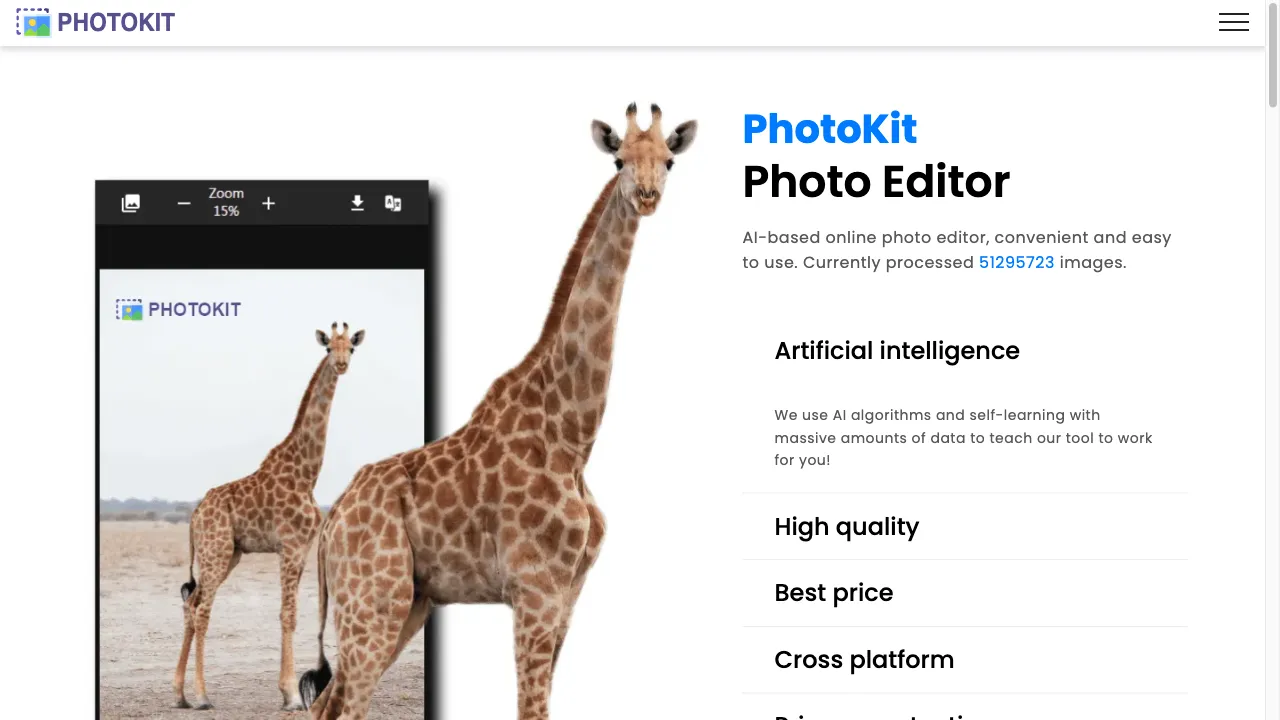
Photokit is a cutting-edge online photo editor utilizing AI technology to deliver a broad array of photo editing and enhancing utilities. Accessible through various web browsers, it removes the hassle of installations, catering to both novices and experts. Supporting numerous formats like RAW, Photokit stands out for its intuitive features, easy navigation, and cross-device usage. Core offerings include AI-powered background removal, RAW image editing, batch processing, and detailed retouching options, making it an ideal choice for photographers, marketers, and businesses needing efficient image edits.
Photokit Traffic Analytics
Photokit Monthly Visits
Photokit Top Visited Countries
Photokit Top Keywords
Photokit Website Traffic Sources
Photokit Features
AI-Powered Tools
Photokit incorporates AI into its editing tools to simplify complex tasks. AI-driven features allow for swift background removal, intelligent object deletion, and one-click image enhancements, offering professional results effortlessly.
RAW Image Editing
The platform supports various RAW formats like CR2, ARW, and NEF. This capability lets users edit high-quality images without the need for conversion, making it ideal for photographers seeking precision in their edits.
Batch Image Processing
Photokit provides batch processing features, enabling users to resize, crop, compress, and watermark images in bulk. This functionality is especially useful for handling large volumes of images efficiently, benefiting commercial and photography sectors.
Extensive Editing Tools
The editor is rich in features, providing clarity adjustments, a variety of filters, retouching tools that smooth skin and remove imperfections, as well as options to create photo collages and add frames, enhancing the creative process.
Cross-Platform Functionality
Photokit is designed to be accessible across a range of operating systems, including Mac, Windows, Android, and iOS, ensuring users can work on their projects from any modern device without installation requirements.
User-Friendly Interface
While offering advanced features, Photokit maintains a straightforward interface, making it easy for beginners to navigate while providing professionals with robust tools to enhance their workflow.
Photokit Pros
Comprehensive Features
Photokit is packed with an impressive array of photo editing tools, catering to a wide variety of needs. From simple to sophisticated adjustments, users have access to features such as retouching, creative effect applications, and enhancement tools. This comprehensive suite ensures that all types of edits, from basic improvements to complex design tasks, can be performed with ease and precision, making it a versatile solution for any user, whether they are professional photographers, digital marketers, or casual users needing to enhance their photos quickly and effectively.
AI Integration
The integration of AI into Photokit significantly changes the landscape of photo editing, making complex editing tasks quite straightforward. Advanced AI features like automated background removal, one-tap enhancements, and smart object deletion help users achieve professional results without requiring advanced editing skills. This ease of use is especially beneficial for beginners who might find traditional editing software intimidating. By incorporating AI, Photokit streamlines editing processes and saves valuable time, allowing users to focus more on creativity and less on technical challenges.
RAW File Support
Supporting various RAW file formats, such as CR2 and ARW, Photokit allows photographers to edit high-resolution, uncompressed images natively. This feature is crucial as it eliminates the need for pre-edit conversions, thereby preserving image quality and detail from start to end. Photographers can fully leverage the data provided by RAW images, giving them unmatched control over adjustments and post-processing. This capability reinforces Photokit's position as a professional-grade tool suitable for expert photographic tasks.
Batch Processing Convenience
Photokit's batch processing feature transforms the workflow of users by enabling them to perform edits on multiple images concurrently. Operations such as resizing, cropping, and applying watermarks can all be conducted in bulk, drastically reducing the time spent on repetitive tasks. This is particularly advantageous for commercial users, like e-commerce businesses, that need to process large image volumes quickly without sacrificing quality. By allowing significant time savings and maintaining performance, the batch processing capability is a valuable asset to many users.
Cross-Platform Accessibility
One of Photokit's strongest attributes is its cross-platform compatibility, allowing users to utilize the editor on Mac, Windows, Linux, Android, and iOS devices effortlessly. This versatility ensures that users are not bound to a specific device and can continue working on their photo projects regardless of their operating system. Such flexibility is particularly advantageous for professionals and frequent travelers who need to access their editing tools while on the go, thereby ensuring consistent productivity across multiple environments.
Photokit Cons
Limited Offline Functionality
Photokit primarily relies on being accessed through a web browser, which means it needs an active internet connection to function. This requirement can be limiting for users who do not have reliable internet access or who wish to edit images while offline. While this design offers advantages like cross-platform use without installations, it can present challenges in scenarios where consistent connectivity is not possible, potentially disrupting workflow for users needing access to its tools at all times.
Learning Curve for Advanced Features
Although Photokit has a user-friendly interface, some of its more advanced features might come with a learning curve, especially for those new to photo editing or unfamiliar with digital tools. As such, while basic operations are intuitive, mastering the full breadth of capabilities for professional-level edits might require practice and some trial and error. Users willing to invest time into learning these features, however, will find themselves rewarded with a powerful and comprehensive toolset capable of a wide range of edits.
How to Use Photokit
Step 1: Getting Started with Photokit
To begin using Photokit, navigate to their website on any modern web browser. Once on the homepage, you can either upload your image directly or start with a sample. Photokit doesn't require any downloads, so you're ready to edit immediately. Familiarize yourself with the main toolbar and explore functionalities like cropping, filters, and basic adjustments. Utilize their tutorials or help guides to understand more complex features. This foundation helps you quickly adjust to using Photokit efficiently.
Step 2: Using AI-Powered Tools
Before applying AI tools, upload an image on the Photokit platform. For background removal, click the specific tool and let the AI process your image, removing backgrounds swiftly and accurately. Similarly, use the AI-enhanced tool for one-tap settings on clarity and exposure for instant improvements. Practice using these AI features, as they often deliver complex changes with minimal user input, providing a seamless and efficient editing experience. As these tools require minimal interaction, they save time and provide professional results effortlessly.
Step 3: Editing RAW Images Efficiently
Upload a RAW file directly into Photokit, supporting formats like CR2 and ARW. Begin by utilizing basic adjustments such as exposure and contrast to enhance your image quality. Dive deeper by using more advanced tools for detail correction. Navigating these features might take a bit of practice, but they provide the flexibility needed to maintain image integrity. Photokit's ability to handle RAW images without conversion is beneficial for saving time and ensuring top-notch modifications tailored to your photo needs.
Who is Using Photokit
Photographers' Editing Resource
Photokit's advanced capabilities position it as an ideal tool for photographers looking to edit images professionally. Its ability to handle RAW files means that photographers can ensure top-quality post-production without losing original detail. Features like advanced retouching allow for refined edits on portraits and landscapes alike. Additionally, batch processing streamlines workflows, catering to situations involving multiple images needing similar adjustments. By utilizing these tools, photographers can effectively enhance image clarity and experiment with creative effects, delivering superior final products to their clients.
Digital Marketing Simplification
In digital marketing, visuals need to captivate the audience. Photokit provides marketers with a range of tools to easily enhance images for social media or website usage. Standard editing, such as adjustments of exposure and contrast, can be achieved swiftly. Advanced features like background removal and batch processing are excellent for quickly adapting images for different campaigns or platforms. With its cross-platform compatibility, marketers can make consistent updates on the go, ensuring timely and engaging visual content to attract potential users effectively.
E-commerce Image Optimization
E-commerce businesses greatly benefit from Photokit’s editing tools, which aid in presenting appealing product photos. Background removal helps to isolate products, making them more appealing on digital catalogues. Batch processing ensures efficiency by allowing alterations on multiple images simultaneously—resizing, watermarking, or even enhancing them—tailoring them for online stores. With the capability to maintain image quality, Photokit supports businesses in maximizing the visual appeal of their product images, thereby supporting improved customer engagement and potentially boosting sales.
Comments
"I've recently started using Photokit for my photography business and have been highly impressed with the AI-enhanced editing tools. The background removal works like a charm, and the batch processing feature has saved me countless hours. It seamlessly fits into my workflow and significantly enhances productivity. The platform's support for RAW files has been instrumental in maintaining image quality during edits. Overall, a fantastic tool for anyone serious about photography!"
"As a digital marketer, I rely heavily on high-quality images to engage my audience. Photokit has been a game-changer for my team. We can produce sleek visuals quicker than before, with features like one-tap enhancements making image processing incredibly efficient. Its ease of use cuts down on training, and the cross-platform accessibility means we can work from anywhere. It's a powerful addition to our tool set!"
"Photokit's user-interface is remarkably approachable, which was my main concern as someone who isn't very experienced with photo editing. The AI-powered tools do most of the heavy lifting, with tasks like object deletion being straightforward and effective. Great respect for their batch processing feature which supports smooth and quick image modifications for multiple files—a true lifesaver for my blogging needs."
"I enjoy using Photokit for its diverse functionalities, particularly its RAW image editing and retouching tools. Being able to handle high-resolution images directly without any conversion keeps my workflow efficient and effective. The service can be accessed from any device, allowing me to edit on the go without any hassle. Some of the advanced features took a bit of practice but are truly worth it once mastered!"
"Photokit has become my go-to tool for both personal and professional projects. The cross-platform compatibility is incredibly convenient, allowing me to switch from my computer to phone without any trouble. Background removal is impressively fast and accurate, and batch processing has been critical in handling large volumes of pictures. Its efficient performance and range of features make Photokit an outstanding choice."
References
Photokit Alternatives

AI-powered tool, AI-powered tool, AI-powered tool for fun! Edit photos with AI-powered tool. Easy, quick, AI-powered too...

AI-Powered Photo Editing for Professionals

AI-Powered Image Enhancement Tool

AI-powered online photo editing tool for selfies.

Versatile online photo editing platform with AI tools.

Comprehensive online photo editing and design tool.

Advanced face-swapping app using AI technology.

AI-powered photo editing platform for efficient image enhancement.

AI-powered photo editing platform for professionals and amateurs.

An advanced AI photo editing app for mobile users.

Free web-based tool for flipping images easily.

An online tool for watermarking and protecting images.

Effortlessly remove video backgrounds with Unscreen.

User-friendly photo editing software for casual users.

AI-powered photo editing platform for product images.

AI-powered platform for colorizing black-and-white photos.