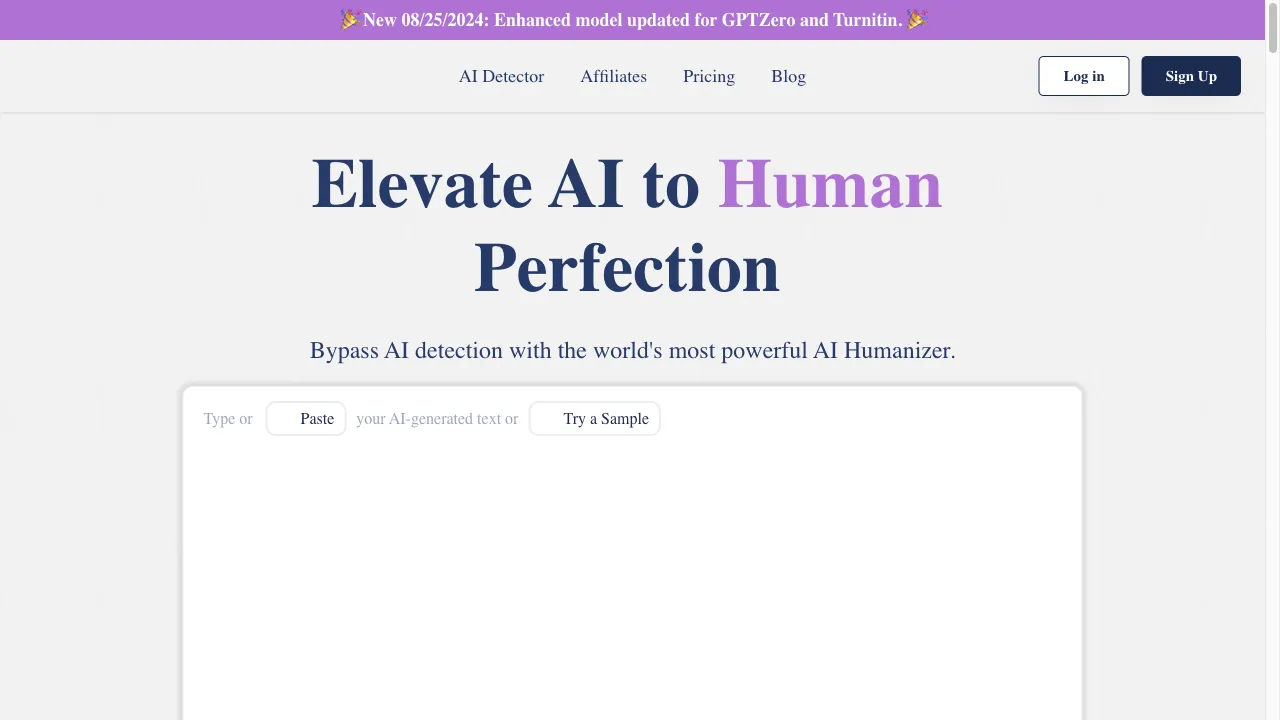
What is WriteHuman AI?
WriteHuman AI is an innovative writing assistant designed to humanize AI-generated content, making it more relatable and engaging. It features a user-friendly interface, a simple three-step transformation process, customization options for tone and style, strong privacy protection, and integration with other AI tools. The tool aims to assist writers, marketers, and professionals in creating authentic content while addressing concerns regarding AI detection systems. WriteHuman AI can be used in various scenarios, including content creation, academic writing, social media management, and email drafting.
WriteHuman AI Traffic Analytics
WriteHuman AI Monthly Visits
WriteHuman AI Top Visited Countries
WriteHuman AI Top Keywords
WriteHuman AI Website Traffic Sources
WriteHuman AI Features
User-Friendly Interface
WriteHuman AI features an intuitive design that allows users of all skill levels to easily navigate and utilize its functionalities, making it accessible for everyone.
Three-Step Transformation
The tool simplifies the writing process with a three-step method: copy AI-generated text, paste it into the platform, and click a button to humanize the content.
Customization Options
Users can adjust the tone and style of the output to some extent, allowing for a degree of personalization in the humanized text.
Privacy Protection
WriteHuman AI prioritizes user privacy, ensuring that all content processed through its platform remains confidential and secure.
Feedback Mechanism
The platform includes a feedback system that allows users to provide input on the output, which helps improve the tool's performance over time.
Integration with Other Tools
WriteHuman AI is compatible with various AI content generators, enhancing its versatility and usability across different writing contexts.
WriteHuman AI Pros
Enhanced Naturalness
WriteHuman AI effectively makes AI-generated content feel more authentic, which is crucial for maintaining reader engagement. This feature allows users to create relatable and engaging material that resonates with audiences.
Time-Saving
The tool significantly reduces the time spent on writing and editing, allowing users to focus on other tasks. This efficiency is especially beneficial for busy professionals and content creators who need to produce high-quality work quickly.
Cost-Effective
By minimizing the need for hiring professional writers, WriteHuman AI can save users money in the long run. This cost-effectiveness makes it an attractive option for individuals and businesses with limited budgets.
Ease of Use
The simple three-step process makes WriteHuman AI accessible to users with varying levels of technical expertise. This user-friendly interface ensures that anyone can utilize the tool without extensive training.
WriteHuman AI Cons
Limited Customization Options
Some users have expressed a desire for more control over the AI's personality, tone, and writing style, as the current options feel restrictive. This limitation may hinder users looking for a more personalized output.
Inconsistent Performance
While WriteHuman AI shows potential, it has not consistently passed all AI detection tests, indicating that users may need to make additional edits to achieve the desired results. This inconsistency can be frustrating for users expecting reliable performance.
Word Limit Restrictions
The platform imposes strict word limits per request, which may be a dealbreaker for users with larger texts. This limitation can restrict creativity and the ability to work with extensive content.
Ethical Considerations
The use of AI to bypass detection systems raises ethical questions regarding originality and plagiarism. Users should be mindful of these concerns when utilizing WriteHuman AI for content creation.
How to Use WriteHuman AI
Step 1: Sign Up for an Account
To start using WriteHuman AI, users must first create an account on the WriteHuman website. This process typically involves providing an email address and setting up a password. Once registered, users can log in to access the platform's features.
Step 2: Input Your Text
After logging in, users need to copy the AI-generated text that they wish to humanize. This can be any content that feels robotic or lacks a personal touch. Make sure to have the text ready for transformation.
Step 3: Paste and Transform
Once the text is copied, users should paste it into the WriteHuman interface. After pasting, they can simply click the transformation button to initiate the process of humanizing the content.
Step 4: Review the Output
After the transformation is complete, users should carefully examine the humanized text. It’s important to review the output for any necessary adjustments or edits to ensure it meets their expectations and requirements.
Step 5: Download or Publish Your Work
Once satisfied with the output, users can either download the text for future use or publish it directly from the WriteHuman platform. This flexibility allows users to seamlessly integrate the humanized content into their projects.
Who is Using WriteHuman AI
Content Creation
Writers and marketers can use WriteHuman AI to enhance blog posts, articles, and marketing materials, making them more engaging and relatable. This tool helps ensure that the content resonates with the target audience, improving overall effectiveness.
Academic Writing
Students and researchers can benefit from WriteHuman AI by refining AI-generated essays and papers to meet academic standards. The tool aids in producing high-quality, humanized academic content that adheres to formal writing guidelines.
Social Media Management
Social media managers can create posts that resonate more with their audience by humanizing AI-generated content. WriteHuman AI enables the crafting of engaging social media posts that foster interaction and connection.
Email Drafting
Professionals can use WriteHuman AI to draft emails that sound more personal and less robotic. This tool helps in creating messages that are relatable, improving communication effectiveness in professional settings.
Comments
"WriteHuman has transformed my writing process, making it feel more personal and less robotic! Highly recommended for anyone in content creation!"
"I wish there were more options to tailor the output to my specific needs; the current settings feel a bit restrictive. Still, it's a great tool!"
"Using WriteHuman AI has saved me so much time! I can now focus on other projects while still producing quality content. Love it!"
"The interface is super user-friendly, which makes it easy to use. However, I hope they improve on the customization options soon!"
"I had some issues with the AI detection tests, but overall, WriteHuman AI has helped me create more engaging content. Worth trying!"
References
- [1] WriteHuman Review: Is This AI Humanizer Worth the Investment?.URL:https://medium.com/@JoeyGeller/writehuman-review-is-this-ai-humanizer-worth-the-investment-e0bd065ebb8con: 8/25/2024
- [2] WriteHuman AI Review: Does It Really Aid in Writing?.URL:https://medium.com/@infinity1/writehuman-ai-review-does-it-really-aid-in-writing-862163635f36on: 8/25/2024
- [3] WriteHuman Review - All Pros & Cons Explained [2024].URL:https://www.twixify.com/post/writehuman-reviewon: 8/25/2024
- [4] Is WriteHuman AI Legit? My Honest Review After 1 Month of Use.URL:https://medium.com/@sky05/is-writehuman-ai-legit-my-honest-review-after-1-month-of-use-4d28558f67bbon: 8/25/2024
- [5] WriteHuman AI Review: Bypassing AI Content Detection Made Easy.URL:https://www.linkedin.com/pulse/writehumanai-review-bypassing-ai-content-detection-made-nishant-seo-emjsfon: 8/25/2024
WriteHuman AI Alternatives

Humanize AI makes text sound like people. Humanize AI is fun and easy. Humanize AI helps you talk better. Humanize AI is...

Your Ultimate AI Writing Assistant

Create and engage with real and fictional characters through advanced chatbot technology.

Transform AI-generated text into authentic, human-like content.

Your go-to platform for NSFW AI-generated content.

Engage in conversations with AI-generated characters.

An innovative AI chatbot platform for character-driven interactions.

Innovative AI platform for face swapping and avatar creation.

Transform AI-generated text into human-like content effortlessly.

AI-powered social media content creation platform.

A no-code automation platform for productivity enhancement.

Your All-in-One AI Writing Copilot for Efficient Content Creation

AI-powered writing assistant for efficient document creation.

Transform AI-generated text into engaging human-like content.

Transform AI-generated content into relatable, human-like writing.

AI-powered writing assistant to enhance productivity and streamline writing tasks.