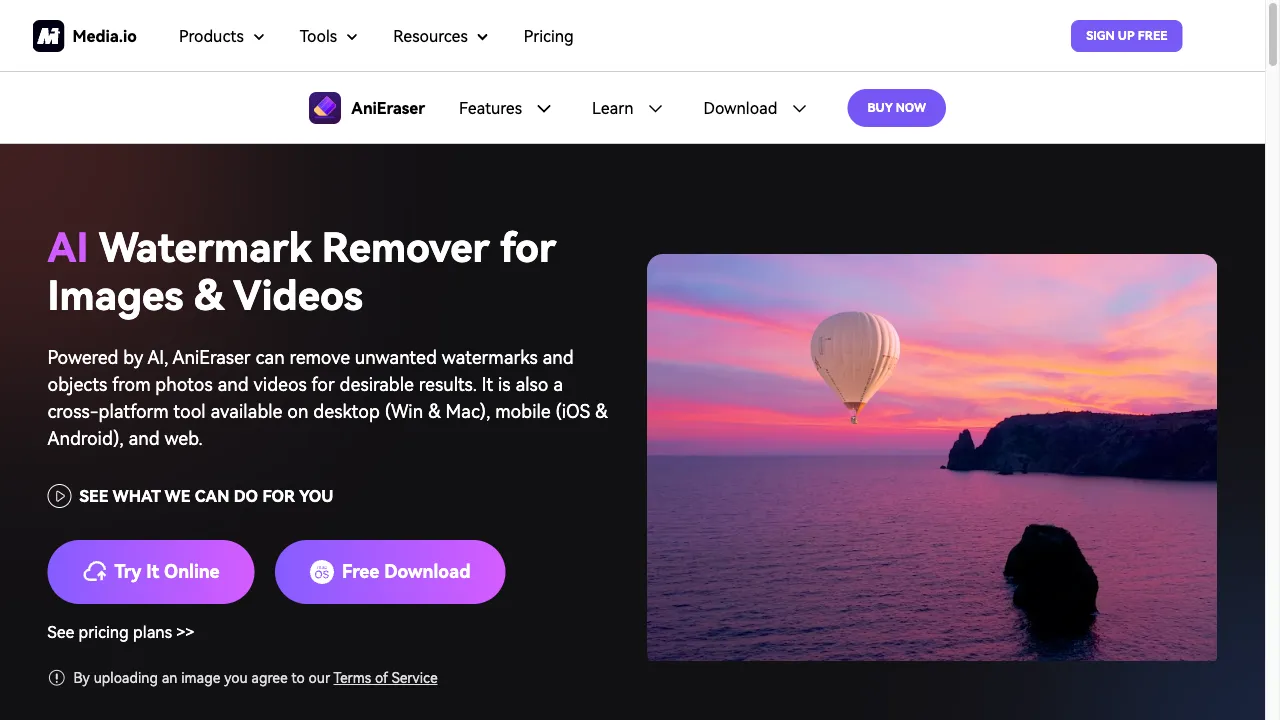
क्या है AniEraser?
AniEraser is an advanced AI tool designed for removing unwanted elements such as watermarks and logos from images and videos. It is part of the Media.io suite, offering features like batch processing, a user-friendly interface, and cross-platform compatibility. Users can access the tool on any device, making it ideal for content creators and casual users. The platform utilizes AI algorithms to ensure high-quality results while simplifying the media editing process. However, users should be cautious about subscription costs and the website's trustworthiness, as reviews are mixed.
AniEraser ट्रैफिक एनालिटिक्स
AniEraser मासिक विजिट
AniEraser शीर्ष विजिट किए गए देश
AniEraser शीर्ष कीवर्ड्स
AniEraser वेबसाइट ट्रैफिक स्रोत
AniEraser विशेषताएँ
Object Removal
AniEraser allows users to easily remove watermarks, logos, text, and other unwanted elements from both images and videos, streamlining the editing process.
Batch Processing
The tool supports bulk deletion, enabling users to remove logos and distractions from multiple files at once, significantly saving time and effort.
User-Friendly Interface
Designed for ease of use, AniEraser requires no advanced editing skills, making it accessible for users of all experience levels.
Preview Functionality
Users can preview their edits before finalizing, ensuring they are satisfied with the changes made to their media.
Cross-Platform Compatibility
AniEraser is available on desktop and mobile devices, allowing users to access the tool from anywhere.
AI-Powered Enhancements
Utilizing advanced AI algorithms, AniEraser guarantees high-quality results while preserving the integrity of the original media.
AniEraser फायदे
Efficiency
AniEraser's batch processing feature allows users to edit multiple files quickly, saving considerable time and effort.
Quality
The AI technology ensures high-quality results, preserving the integrity of the original media and enhancing the final output.
Accessibility
With cross-platform support, AniEraser can be used on various devices, making it convenient for users to edit media anytime, anywhere.
User-Friendly
The intuitive interface of AniEraser makes it suitable for users with no prior editing experience, allowing anyone to achieve professional results.
AniEraser नुकसान
Trust Issues
The website has received a low trust score from ScamAdviser, indicating potential concerns about its legitimacy and reliability.
Limited Free Features
While a free trial is available, many advanced features require a subscription, which may not be ideal for casual users who seek cost-effective solutions.
Negative Reviews
Some users have reported negative experiences with the service, raising concerns about the quality of customer support and overall reliability.
उपयोग कैसे करें AniEraser
Step 1: Access the Tool
To start using AniEraser, open the official website on your device. Make sure to have a stable internet connection for optimal performance.
Step 2: Upload Media
Once on the website, click on the 'Upload Video or Photo' button. Select the media file you wish to edit from your device.
Step 3: Select Objects for Removal
Adjust the brush size according to your needs. Use it to highlight the unwanted objects in your media that you want to remove.
Step 4: Remove Objects
After selecting the unwanted elements, click on the 'Remove objects now' button to initiate the removal process. The AI will work to eliminate the selected items.
Step 5: Preview and Save
Once the removal process is complete, review the changes made to your media. If satisfied, save the edited file to your device for future use.
कौन उपयोग कर रहा है AniEraser
Content Creation
AniEraser is ideal for YouTubers, Instagram influencers, and marketers who need to produce clean visuals without distractions, enhancing their content quality.
Personal Projects
Users can enhance their personal photos and videos by removing unwanted elements, making them more visually appealing for sharing with friends and family.
Professional Use
Businesses can utilize AniEraser to create marketing materials that are free from logos or watermarks, ensuring a polished and professional appearance.
Social Media Preparation
Users can prepare images and videos for social media sharing by eliminating irrelevant text overlays and distractions, ensuring that their posts stand out.
टिप्पणियाँ
"AniEraser has completely transformed my content creation process! I can now remove distractions effortlessly and produce high-quality visuals. Highly recommend!"
"I was skeptical at first, but AniEraser works wonders for removing watermarks. It's user-friendly and saves me so much time!"
"The subscription costs are a bit high for casual use, but the tool's efficiency is impressive. Just wish there were more free features!"
"I had a negative experience with customer support, but the tool itself is fantastic. It does what it promises, just be cautious with the subscription."
"Great tool for editing! I love how easy it is to use, but I do have concerns about the website's trustworthiness."
संदर्भ
- [2] AniEraser 1.0 का अनावरण.URL:https://www.prnewswire.co.uk/news-releases/anieraser-1-0-unveiled-for-effective-media-object-removal-301776896.htmlon: 3/20/2023
- [4] AniEraser के लिए ScamAdviser समीक्षा.URL:https://www.scamadviser.com/check-website/anieraser.media.io
AniEraser विकल्प

AI-powered image enhancement platform for all users.

आपकी छवियों को साफ और सुंदर बनाने का एआई उपकरण

AI tool for removing watermarks from images.

एक नवीन उपकरण जो छवियों से वॉटरमार्क हटाने के लिए है।

AI-powered photo and video editing service.

एक नवोन्मेषी AI प्लेटफ़ॉर्म चित्र और वीडियो संपादन के लिए।

एक AI उपकरण जो रास्टर छवियों को वेक्टर ग्राफिक्स में परिवर्तित करता है।

एक उन्नत उपकरण जो छवियों से स्वचालित रूप से पृष्ठभूमि हटाता है।

एक क्लाउड-आधारित एनीमेशन और वीडियो निर्माण प्लेटफ़ॉर्म।

AI का उपयोग करके छवियों को बढ़ाने के लिए एक अभिनव ऑनलाइन उपकरण।

AI-powered background removal tool for images.
एक AI उपकरण जो वीडियो बैकग्राउंड को आसानी से हटाने के लिए है।

AI-driven video enhancement tool for creators.

AI का उपयोग करके 3D मॉडल बनाने के लिए एक अभिनव मंच।

AI-powered image enhancement tool for businesses.

एक एआई उपकरण जो काले और सफेद फोटो को बहाल और रंगीन करता है।