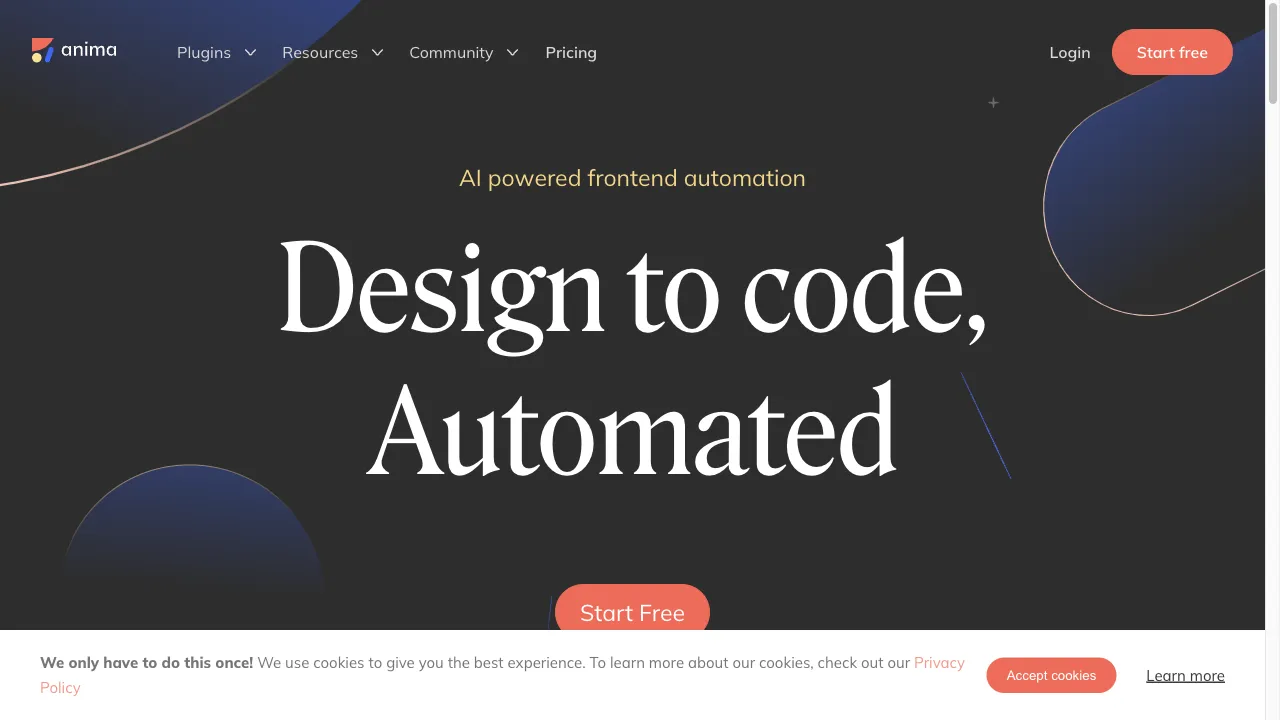
क्या है Anima App?
Anima App is a powerful design-to-code platform that bridges the gap between design and development. It allows teams to create interactive prototypes using tools like Figma, Adobe XD, and Sketch, and converts these prototypes into functional code in frameworks such as React, Vue, and HTML. This app is designed to enhance productivity by significantly reducing development time, making it an ideal solution for various web development projects. Anima App is particularly beneficial for designers and developers looking to streamline their workflow, improve collaboration, and ensure responsive design across devices.
Anima App ट्रैफिक एनालिटिक्स
Anima App मासिक विजिट
Anima App शीर्ष विजिट किए गए देश
Anima App शीर्ष कीवर्ड्स
Anima App वेबसाइट ट्रैफिक स्रोत
Anima App विशेषताएँ
Design-to-Code Conversion
Anima App excels at translating visual designs into functional code, supporting frameworks like React, Vue, and HTML, which simplifies the development process.
Integration with Design Tools
The app integrates seamlessly with popular design tools such as Figma, Adobe XD, and Sketch, allowing for a smooth transition from design to development.
Responsive Prototypes
Users can create responsive prototypes that adapt to different screen sizes, enhancing the usability and accessibility of their designs.
SEO Optimization
Anima App includes features for embedding SEO-friendly meta tags, improving search engine visibility for websites built using the platform.
High-Fidelity Prototypes
The app allows designers to create high-fidelity prototypes that provide a realistic representation of the final product, facilitating better stakeholder feedback.
Anima App फायदे
Efficiency
Anima App significantly reduces development time by automating the conversion of designs into code, allowing teams to focus on other critical tasks.
Ease of Use
The integration with popular design tools and the intuitive interface make it accessible for designers with varying levels of technical expertise.
Cost-Effective
Users have reported achieving excellent results at a fraction of the cost of hiring a developer, making it a budget-friendly option for small teams and startups.
Responsive Design
The ability to create responsive prototypes ensures that designs are adaptable to different devices and screen sizes.
Anima App नुकसान
Limited Flexibility
Some users have noted limitations in the app's flexibility, particularly when handling various display types and complex interactions.
Complicated UI
The user interface can be challenging to navigate for some users, potentially hindering the design process.
Subscription Requirement
Exporting code may require a subscription, which can be a drawback for users who only need the service occasionally.
उपयोग कैसे करें Anima App
Step 1: Install the Plugin
Begin by installing the Anima plugin for your preferred design tool (Figma, Adobe XD, or Sketch). This step is crucial to enable the design-to-code functionality that Anima offers.
Step 2: Create a Design
Use your design tool to create a prototype, ensuring it includes all necessary components and interactions. This prototype will serve as the foundation for the code conversion process.
Step 3: Convert to Code
Run the Anima plugin, select the desired screens, and choose the code format (HTML, React, or Vue) for conversion. This step translates your visual design into functional code.
Step 4: Export and Preview
Sync the design with Anima's web app, export the code package, and preview the design in a browser to ensure all elements are responsive and functional. This final step allows you to verify that the conversion was successful and the design works as intended.
कौन उपयोग कर रहा है Anima App
Web Development
Designers can convert their designs into functional websites without extensive coding knowledge, making it easier to launch and update websites.
Prototyping
The app is ideal for creating interactive prototypes that mimic the final product, allowing for thorough usability testing and iteration.
Design Collaboration
Teams can collaborate more effectively by sharing high-fidelity prototypes and gathering feedback from stakeholders in a centralized platform.
टिप्पणियाँ
"Anima App has completely changed the way I approach design and development. The ease of converting prototypes into code is a game-changer!"
"I love how I can create responsive designs without needing to code everything manually. It's saved me so much time!"
"The integration with Figma is seamless, but I wish the UI was a bit more intuitive. Overall, a fantastic tool!"
संदर्भ
- [2] Anima App vs Anima AI.URL:https://www.animaapp.com/blog/inside-anima/anima-app-vs-anima-ai-a-silly-comparison/
- [4] How to Export Figma to HTML.URL:https://www.animaapp.com/blog/design-to-code/how-to-export-figma-to-html/
- [5] Introducing New SEO Settings for Anima.URL:https://animaapp.medium.com/introducing-new-seo-settings-for-anima-websites-492b491ac903on: 7/22/2020
- [8] Anima Reviews and Ratings on TrustRadius.URL:https://www.trustradius.com/products/anima/reviews?qs=pros-and-cons
Anima App विकल्प

एक मुफ्त प्लेटफार्म जो AI-जनित कला बनाने और साझा करने के लिए है।

कोडिंग बिना 3D वेबसाइट बनाने का प्लेटफॉर्म।

टेक्स्ट को शानदार दृश्य कला में बदलें AI के साथ।

An online platform for generating images from text prompts.

AI-powered image and video generation platform.

एक क्लाउड-आधारित एनीमेशन और वीडियो निर्माण प्लेटफ़ॉर्म।
AI-powered image transformation platform for businesses.

एक अभिनव प्लेटफार्म चेहरे के स्वैपिंग और कला निर्माण के लिए।

एक शक्तिशाली AI-प्रेरित वेब डिज़ाइन प्लेटफ़ॉर्म।

एक AI-संचालित लोगो निर्माता त्वरित और सस्ती ब्रांडिंग के लिए।

एक अभिनव AI-संचालित कला निर्माण उपकरण व्यक्तिगत चित्रों के लिए।

Anima is a virtual AI friend for enhancing communication skills.

लीह्नार्डो एआई एक उन्नत प्लेटफार्म है।
A modern AI-driven content platform for music and art creation.

कला निर्माण के लिए एक शक्तिशाली AI उपकरण।

AI अनुप्रयोगों के निर्माण के लिए एक उपकरण।