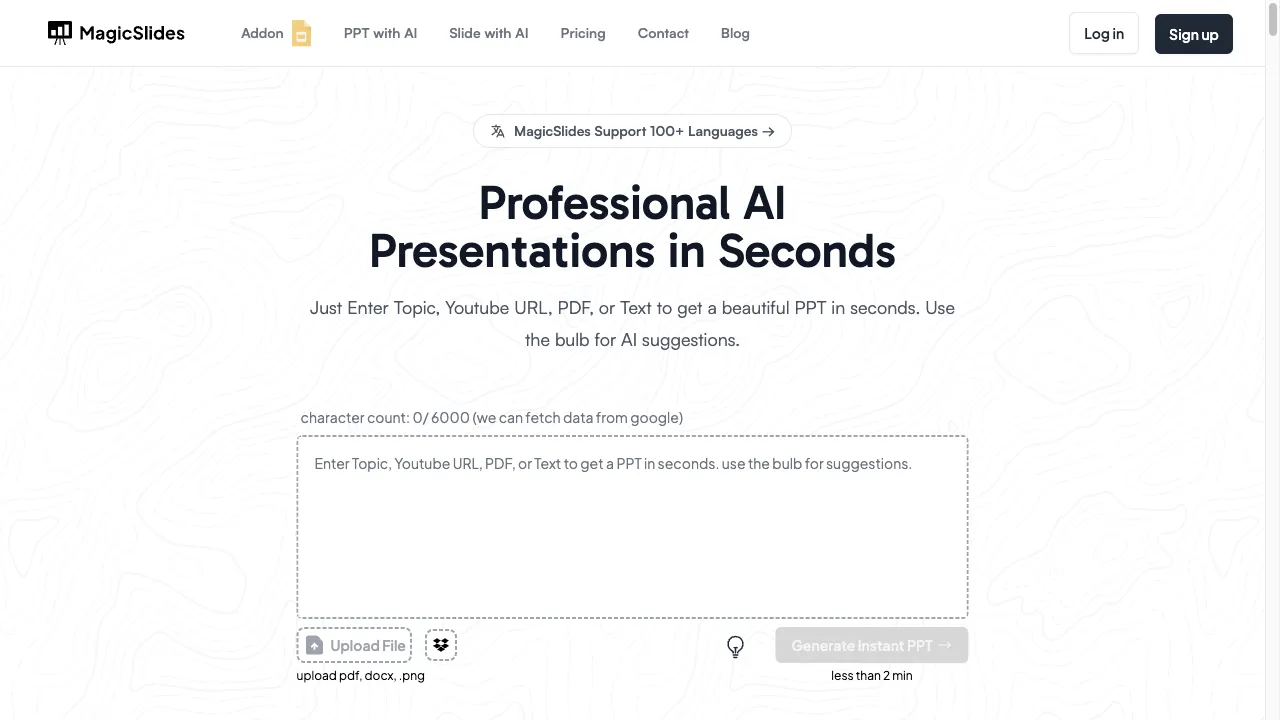
क्या है MagicSlides?
MagicSlides is an innovative AI-driven presentation tool that simplifies the process of creating professional slides. By allowing users to input topics, text, or content from various sources like URLs, PDFs, and YouTube videos, it generates visually appealing presentations. The app is available as a Google Slides add-on and is compatible with modern web browsers, making it accessible for professionals, educators, and students. Key features include AI-powered design assistance, a vast template library, real-time collaboration, multilingual support, customizable content, and seamless integration with Google Slides. Whether for business, education, or time-saving efficiency, MagicSlides caters to a wide range of presentation needs.
MagicSlides ट्रैफिक एनालिटिक्स
MagicSlides मासिक विजिट
MagicSlides शीर्ष विजिट किए गए देश
MagicSlides शीर्ष कीवर्ड्स
MagicSlides वेबसाइट ट्रैफिक स्रोत
MagicSlides विशेषताएँ
AI-Powered Design Assistance
MagicSlides utilizes advanced AI algorithms to analyze user input and generate visually appealing slides, complete with relevant images and layouts. This feature ensures that users can create engaging presentations effortlessly.
Extensive Template Library
With a wide selection of templates available, users can tailor their presentations to various themes and styles, ensuring a professional look that meets their specific needs.
Real-Time Collaboration
The app supports real-time collaboration, allowing multiple users to work on the same presentation simultaneously, which is especially beneficial for team projects and educational settings.
Multilingual Support
MagicSlides caters to a global audience by offering multilingual capabilities, enabling users to create presentations in their preferred language.
Customizable Content
Users can provide specific content to be included in their presentations, allowing for a more personalized touch that reflects their unique style and message.
Integration with Google Slides
As an add-on for Google Slides, MagicSlides ensures seamless integration, making it easy to share and collaborate on presentations with others.
MagicSlides फायदे
Ease of Use
The user-friendly interface allows even those with minimal design skills to create professional presentations quickly, making it accessible for everyone.
Time Efficiency
The AI-driven automation significantly reduces the time spent on slide creation, allowing users to focus on content rather than design.
High-Quality Output
Users report that the presentations generated are visually appealing and well-structured, enhancing the overall impact of their presentations.
Integration with Google Slides
This feature enhances collaboration and sharing capabilities, making it easy for teams to work together on presentations.
MagicSlides नुकसान
Device Compatibility Issues
Some users have reported problems with the app's compatibility on certain devices, which can hinder usability.
Dependence on Google Slides
Users who prefer other presentation platforms may find this limitation restrictive, as MagicSlides is primarily designed as a Google Slides add-on.
Content Inaccuracies
Occasionally, the AI may generate content that lacks accuracy or relevance, requiring users to make adjustments to ensure quality.
उपयोग कैसे करें MagicSlides
Step 1: Installation
Download the MagicSlides add-on from the Google Workspace Marketplace and install it on your Google account to get started.
Step 2: Creating a Presentation
Launch the app, enter a topic or text, and click 'Generate.' The AI processes the input and creates a set of slides with structured content and relevant visuals.
Step 3: Customization
Users can review and customize the AI-generated slides to better fit their needs, including changing themes, fonts, and layouts.
Step 4: Collaboration
Share the presentation with team members for real-time collaboration, allowing for input and edits from multiple users.
कौन उपयोग कर रहा है MagicSlides
Professional Presentations
Ideal for business professionals who need to create impactful presentations quickly, with AI design assistance ensuring a polished result.
Educational Material
Educators and students can simplify complex topics into easy-to-understand presentations, enhancing the learning experience.
Time-Saving Efficiency
For anyone looking to save time in presentation preparation, MagicSlides automates layout and image selection, making it a valuable tool.
Content Summarization
Users can input lengthy texts, and the app will summarize and generate slides, making it particularly useful for research presentations.
टिप्पणियाँ
"MagicSlides has completely changed how I create presentations. The AI assistance is incredible and saves me so much time!"
"I love the extensive template library; it makes my presentations look professional without much effort."
"The real-time collaboration feature is a game-changer for my team projects. We can work together seamlessly!"
"I had a few issues with device compatibility, but overall, the app is fantastic and easy to use."
"The content summarization feature is a lifesaver for my research work; it helps me condense information effectively."
संदर्भ
- [2] Aitech Ratings समीक्षा.URL:https://aitechratings.com/blog/2023/07/12/magic-slides-a-review-of-the-ai-powered-text-to-presentation-solution/on: 7/11/2023
MagicSlides विकल्प

शिक्षकों के लिए एक नवोन्मेषी AI प्लेटफॉर्म।

PowerPoint टेम्पलेट और डिज़ाइन सेवाओं के लिए अग्रणी मंच।

AI-powered multilingual translation and learning platform.

An AI-powered platform for effortless presentation creation.

AI-संचालित उपकरण जो तेजी से प्रस्तुतियाँ बनाने में मदद करता है।

गूगल स्लाइड्स और पावरपॉइंट के लिए मुफ्त और प्रीमियम प्रेजेंटेशन टेम्पलेट।

AI-powered presentation solution for creating professional presentations.

AI-powered platform for creating presentations efficiently.

AI-powered tool for creating professional presentations.

एक उन्नत AI छवि निर्माण प्लेटफ़ॉर्म रचनात्मक पेशेवरों के लिए।

AI-जनित पाठ को मानव-समान सामग्री में आसानी से परिवर्तित करें।

एक AI प्लेटफ़ॉर्म जो अध्ययन और शोध की दक्षता को बढ़ाता है।

Enhance presentations with live polling features.

डिजिटल कार्यों को स्वचालित करने के लिए एक उपकरण।

AI-powered presentation toolkit for effortless slide creation.

एक अभिनव इंटरनेट आधारित प्लेटफॉर्म