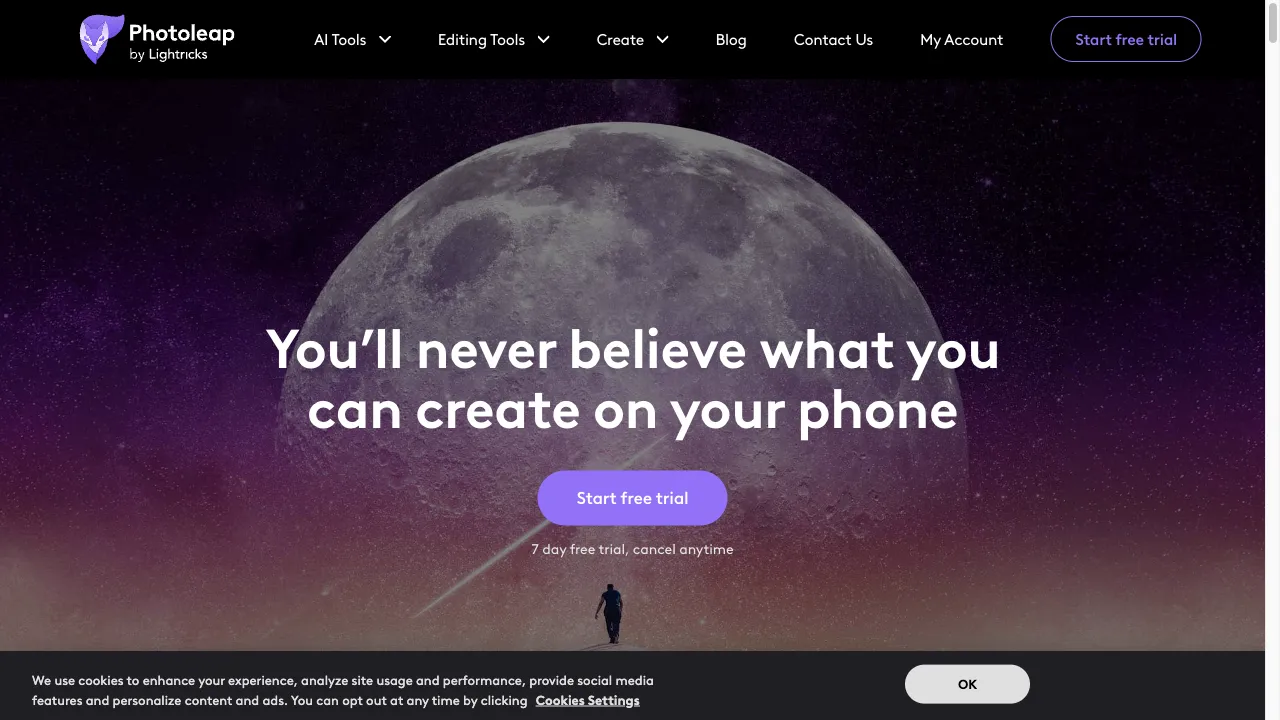
क्या है Photoleap?
Photoleap is an advanced mobile photo editing application developed by Lightricks, designed to provide users with powerful editing tools and creative options. Available on iOS, Android, and the web, it combines a user-friendly interface with sophisticated AI technology, enabling users to create stunning images effortlessly. With features like AI Expand, AI Background replacement, and a variety of editing tools, Photoleap caters to both amateur and professional photographers, making it a versatile choice for enhancing photography skills.
Photoleap ट्रैफिक एनालिटिक्स
Photoleap मासिक विजिट
Photoleap शीर्ष विजिट किए गए देश
Photoleap शीर्ष कीवर्ड्स
Photoleap वेबसाइट ट्रैफिक स्रोत
Photoleap विशेषताएँ
AI Expand
This innovative tool allows users to extend their image canvas, seamlessly generating new content that matches the original photo. It’s perfect for creating more expansive compositions without losing the essence of the original image.
AI Background Replacement
With this feature, users can easily swap out backgrounds in their photos with contextually relevant options, enhancing the overall aesthetic of their images.
Text to Image Generation
This unique feature allows users to create images based on textual descriptions, which opens up new avenues for creative storytelling and visual expression.
AI Avatar Generator
Users can create hyper-realistic avatars in various styles, ideal for personal branding on social media platforms.
Animate Tool
This feature adds motion effects to still images, transforming static photos into dynamic visuals, perfect for engaging content.
Photoleap फायदे
User-Friendly Interface
The app is designed for ease of use, making it accessible for beginners while still offering advanced features for professionals.
Powerful AI Tools
Photoleap's AI capabilities allow for creative edits that would be time-consuming with traditional methods.
Versatile Features
The combination of basic and advanced editing tools caters to a wide range of editing needs.
Regular Updates
The app is frequently updated with new features and improvements, ensuring users have access to the latest technology.
Photoleap नुकसान
Subscription Model
While the app is free to download, many advanced features require a Pro subscription, which may deter some users.
Limited Collage Options
The collage maker lacks extensive customization features, which may disappoint users looking for more creative control.
AI Limitations
Some users have reported that while the AI tools are impressive, they can sometimes produce unexpected results.
उपयोग कैसे करें Photoleap
Step 1: Download and Install
Photoleap is available for free on the App Store and Google Play Store. Users can also access a web version.
Step 2: Create a New Project
Open the app and tap the '+' icon to start a new project. Users can choose to edit an existing photo or create a new one using AI tools.
Step 3: Select Editing Tools
Navigate through the bottom toolbar to access basic and advanced editing features. For AI tools, select the 'AI Tools' option.
Step 4: Apply Edits
Use the desired tools to enhance the image. Users can adjust elements like brightness, apply filters, or use AI features to transform the photo.
Step 5: Save and Share
Once satisfied with the edits, users can save their work within the app or export it in various formats suitable for different platforms.
कौन उपयोग कर रहा है Photoleap
Social Media Influencers
The app's features are tailored for creating eye-catching content for platforms like Instagram and Facebook.
Professional Photographers
While it is user-friendly, the advanced tools also cater to professionals looking for quick edits on the go.
Hobbyists
Casual photographers can enjoy the app's intuitive interface and powerful features without needing extensive editing knowledge.
Content Creators
Those who need to produce unique visuals for blogs, websites, or marketing materials will find Photoleap's AI capabilities particularly beneficial.
टिप्पणियाँ
"Photoleap has transformed my social media presence. The AI tools are a game-changer!"
"I love how easy it is to use Photoleap. It has everything I need for quick edits."
"The subscription costs are a bit high, but the features are worth it if you’re serious about photography."
"I wish the collage maker had more customization options. It feels a bit limited."
"The AI tools are impressive, but sometimes they produce unexpected results."
संदर्भ
- [1] Photoleap by Lightricks review: a worthy photo-editing alternative.URL:https://www.creativebloq.com/reviews/lightricks-photoleap
- [2] Exploring the Photoleap app: Your ultimate guide to AI-powered photo editing.URL:https://dataconomy.com/2024/07/01/exploring-the-photoleap-app-your-ultimate-guide-to-ai-powered-photo-editing/on: 6/30/2024
- [3] Photoleap: Edit Photos Like a Pro With AI Photo Editing App.URL:https://designshack.net/articles/reviews/photoleap/
- [4] Photoleap AI Photo Editing Review For 2024.URL:https://sonary.com/b/lightricks/photoleap+ai-tools/
- [5] Photoleap Review: The Best Photo Editor for Mobile Phones?.URL:https://www.unite.ai/photoleap-review/
Photoleap विकल्प

AI-समर्थित फोटो संपादन के लिए एक सरल समाधान
एक एआई-आधारित ऑनलाइन फोटो संपादन उपकरण जो उपयोगकर्ता के अनुकूल सुविधाओं के साथ।

आपकी छवियों को साफ और सुंदर बनाने का एआई उपकरण

AI-driven platform for image and video editing.

एक व्यापक फोटो और वीडियो संपादन प्लेटफॉर्म।

एक अत्याधुनिक 3D स्कैनिंग उपकरण कलाकारों के लिए।

AI-driven photo editing and image generation tool.

एक ऑनलाइन फोटो संपादन उपकरण सभी कौशल स्तरों के लिए।

एक अभिनव AI उपकरण डिजिटल सामग्री निर्माण के लिए।

एक सर्व-समावेशी ऑनलाइन फोटो संपादन उपकरण।

एक अभिनव प्लेटफार्म चेहरे के स्वैपिंग और कला निर्माण के लिए।

AI-powered photo editing platform for enhanced images.

एक नवीनतम AI-संचालित डिज़ाइन प्लेटफ़ॉर्म।

एक उपयोगकर्ता के अनुकूल मोबाइल वीडियो संपादन अनुप्रयोग।

एक शक्तिशाली वीडियो संपादन ऐप रचनात्मक उपयोगकर्ताओं के लिए।

फेसट्यून एक प्रमुख फोटो संपादन ऐप है।