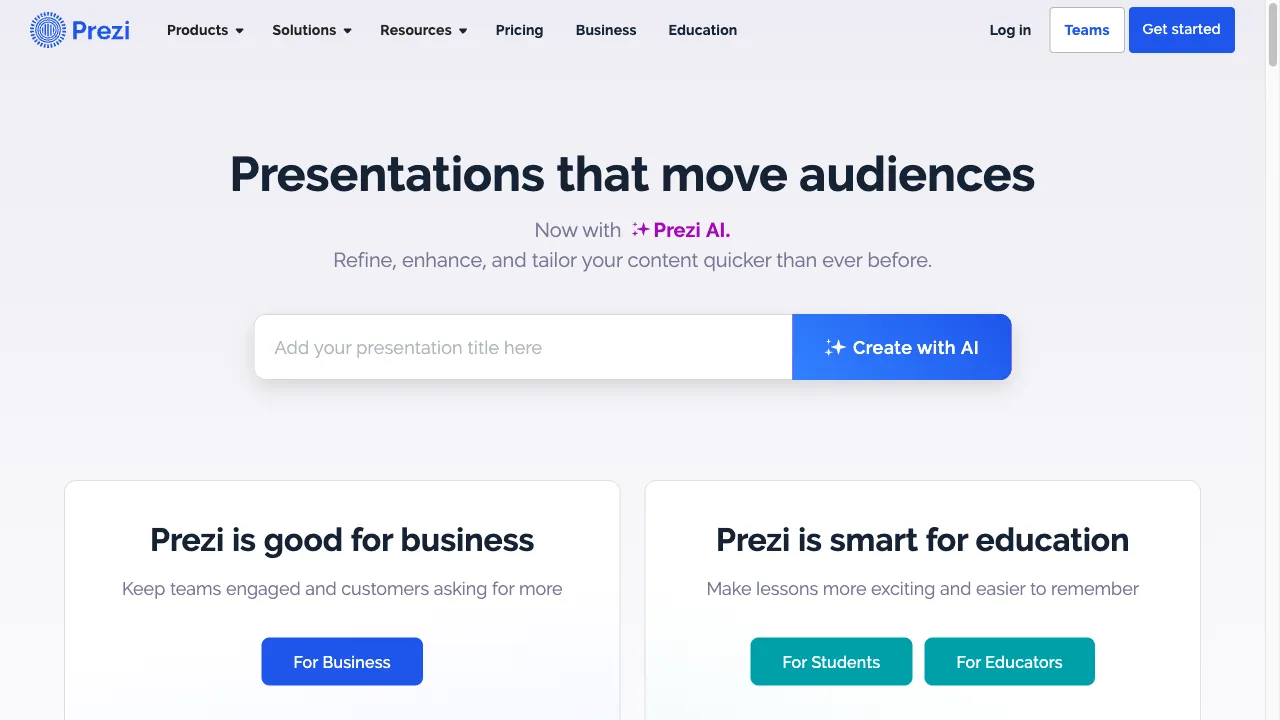
क्या है Prezi?
Prezi is a cloud-based presentation tool that allows users to create visually appealing, non-linear presentations. Launched in 2009, it has gained popularity for its unique zooming feature, which provides an interactive experience. Users can incorporate multimedia elements, collaborate in real-time, and use various templates to enhance their presentations. Prezi is suitable for business, education, marketing, and online meetings, making it a versatile choice for various users.
Prezi ट्रैफिक एनालिटिक्स
Prezi मासिक विजिट
Prezi शीर्ष विजिट किए गए देश
Prezi शीर्ष कीवर्ड्स
Prezi वेबसाइट ट्रैफिक स्रोत
Prezi विशेषताएँ
Non-Linear Presentations
Prezi allows users to create a zoomable canvas, presenting information in a fluid and interconnected manner, unlike traditional slide decks.
Prezi Video
Users can record themselves while presenting, overlaying their video on the presentation content, ideal for virtual meetings.
Collaboration Tools
Prezi supports real-time collaboration, enabling multiple users to edit and work on a presentation simultaneously.
Template Library
A vast library of professionally designed templates is available, allowing customization to suit user needs.
AI Features
Prezi AI assists users in generating content and refining their presentations, making the creation process faster.
Prezi फायदे
Engaging Presentations
Prezi's zoomable canvas and multimedia capabilities create visually appealing and interactive presentations that can captivate audiences.
User-Friendly Interface
The platform is designed to be intuitive, making it accessible for users without a graphic design background.
Collaboration Features
Real-time editing and sharing capabilities enhance teamwork and streamline the presentation creation process.
Versatile Use Cases
Suitable for various industries, including education, business, and marketing, making it a flexible tool for different users.
Prezi नुकसान
Learning Curve
While Prezi is user-friendly, some users may find the non-linear format challenging to master initially.
Limited Customization
Users have reported that customization options can be restrictive compared to other design tools, limiting creative freedom.
Performance Issues
Some users have experienced lag or performance issues, particularly with larger presentations or slower internet connections.
Pricing
The free version has significant limitations, and users may need to invest in a paid plan to access essential features.
उपयोग कैसे करें Prezi
Step 1: Sign Up
Users can create a free account or choose from various paid plans that offer additional features.
Step 2: Choose a Template
Start by selecting a template from the library or create a presentation from scratch.
Step 3: Add Content
Users can insert text, images, videos, and other multimedia elements into their presentations.
Step 4: Customize
Adjust the layout, colors, and animations to fit the desired style and message.
Step 5: Present
Users can present their work live or share it online. The Prezi Video feature allows for recording presentations for later use.
कौन उपयोग कर रहा है Prezi
Business Presentations
Professionals can use Prezi to create engaging pitches, reports, and training materials that capture the attention of stakeholders.
Educational Settings
Teachers and students can leverage Prezi to create interactive lessons and presentations that enhance learning experiences.
Marketing and Sales
Marketers can design visually compelling presentations to showcase products and services, making it easier to communicate value propositions.
Webinars and Online Meetings
Prezi Video allows users to present live or recorded content effectively, making it suitable for webinars and virtual conferences.
टिप्पणियाँ
"Prezi has transformed the way I present information. Its dynamic format keeps my audience engaged and interested throughout my presentations. Highly recommend it!"
"I love using Prezi for my classroom presentations. The interactive elements really help my students understand complex topics better."
"The collaboration tools are fantastic! My team and I can work together in real-time, which makes preparing for meetings so much easier."
"While I appreciate the unique features of Prezi, I did find the learning curve a bit steep at first. However, once I got the hang of it, I loved it!"
"Prezi's templates are beautiful and easy to customize. I can create professional-looking presentations in no time."
संदर्भ
- [2] TrustRadius की Prezi की समीक्षाएँ.URL:https://www.trustradius.com/products/prezi/reviews?qs=pros-and-conson: 8/19/2024
Prezi विकल्प

An innovative AI tool for video creation.

AI वीडियो निर्माण का अग्रणी प्लेटफ़ॉर्म।

AI टूल्स का एक व्यापक एग्रीगेटर है जो उत्पादकता के लिए है।

An advanced AI platform for creating visual content.

एक ऑनलाइन प्लेटफ़ॉर्म जो दृश्य सामग्री बनाने के लिए है।

एक क्लाउड-आधारित ग्राफिक डिज़ाइन सॉफ़्टवेयर जो दृश्य सामग्री बनाने के लिए है।

एक AI-संचालित उपकरण जो कुशल नोट-लेखन और सारांशण के लिए है।

एक अभिनव AI कला मंच एनीमे प्रेमियों के लिए।

एक पेशेवर दस्तावेजों के लिए ऑनलाइन रिज़्यूमे बिल्डर।

सोशल मीडिया सामग्री निर्माण के लिए एक AI उपकरण।

एक AI-संचालित उपकरण जो प्रस्तुतियों को आसानी से बनाने के लिए है।

AI-driven tool for creating mind maps from diverse content.

वीडियो सामग्री और गाइड बनाने के लिए एक बहुपरकारी प्लेटफ़ॉर्म।

AI-powered wireframing tool for designers and teams.

एक AI-संचालित प्रेजेंटेशन सॉफ्टवेयर जो पेशेवर प्रेजेंटेशन बनाने के लिए है।

एक इंटरैक्टिव प्रेजेंटेशन टूल जो दर्शकों को संलग्न करता है।