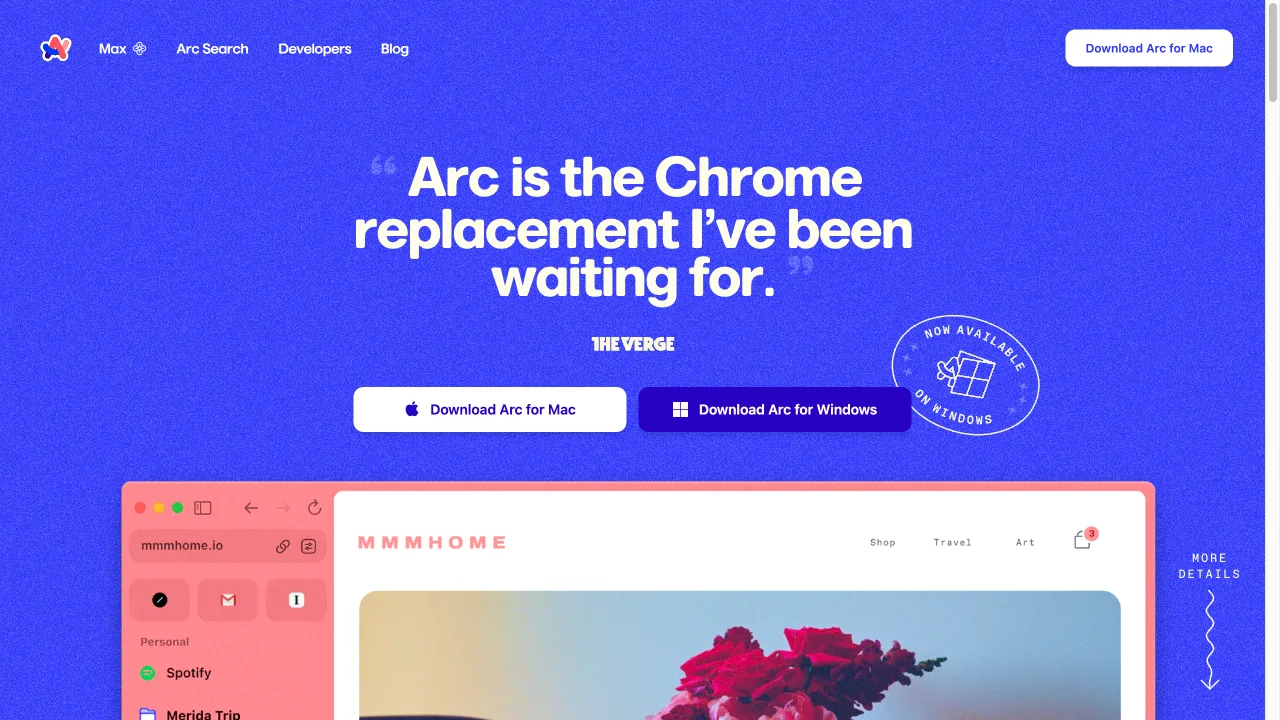
क्या है Arc Browser?
Arc Browser, developed by The Browser Company, is a modern web browser that aims to redefine the browsing experience with a focus on design, usability, and innovative features. Launched as a Chromium-based browser, Arc seeks to provide users with a cleaner interface and enhanced functionality, particularly for those who manage multiple tabs and require a more organized workspace. It is available on macOS, iOS, and Windows, making it accessible to a wide range of users. The browser is built on the Chromium engine, which allows it to support a variety of web standards and extensions while providing a familiar environment for users transitioning from other browsers like Google Chrome.
Arc Browser ट्रैफिक एनालिटिक्स
Arc Browser मासिक विजिट
Arc Browser शीर्ष विजिट किए गए देश
Arc Browser शीर्ष कीवर्ड्स
Arc Browser वेबसाइट ट्रैफिक स्रोत
Arc Browser विशेषताएँ
Clean Design
Arc emphasizes a minimalist aesthetic, reducing clutter and distractions. The interface is designed to be intuitive, allowing users to focus on their content rather than the browser itself.
Tab Management
One of Arc's standout features is its innovative approach to tab management. Users can organize tabs into groups, making it easier to navigate between different projects or topics without feeling overwhelmed.
AI Integration
Arc incorporates AI features that enhance user experience, such as website summaries and contextual information that can be accessed with simple gestures.
Customization Options
Users can personalize their browsing experience with various themes and layouts, allowing for a more tailored interface.
Sidebar Navigation
The sidebar provides quick access to bookmarks, history, and other tools, streamlining the browsing process.
Privacy Focus
Arc emphasizes user privacy by not tracking browsing habits or selling data to third parties, which is a significant concern for many users today.
Arc Browser फायदे
Innovative Features
Arc Browser's innovative tab management and design features provide a unique browsing experience that stands out from traditional browsers.
User-Friendly Interface
The clean and minimalist design reduces distractions, allowing users to focus on their content.
Strong Privacy Focus
Arc's commitment to user privacy is a significant advantage, especially for those concerned about data tracking.
Arc Browser नुकसान
Performance Issues
Some users have reported that Arc can be resource-intensive, consuming a significant amount of RAM, which may affect performance on lower-end devices.
Limited Features on Windows
Certain features available on macOS are not yet present on Windows, leading to a less consistent experience across platforms.
Frequent Updates
The frequency of updates can be overwhelming for some users, particularly if they prefer a stable browsing experience without constant changes.
उपयोग कैसे करें Arc Browser
Step 1: Installation
Users can download Arc from the official website and follow the installation instructions for their operating system.
Step 2: Creating an Account
After installation, users may need to create an account to access certain features and sync their settings across devices.
Step 3: Navigating the Interface
Users can explore the sidebar for quick access to bookmarks and history. Tabs can be organized into groups by dragging and dropping them into designated areas.
कौन उपयोग कर रहा है Arc Browser
Power Users
Those who manage multiple tabs and require efficient organization will find Arc's tab management features invaluable.
Creative Professionals
The clean design and customization options make it suitable for designers and content creators who need a distraction-free environment.
Privacy-Conscious Users
Individuals concerned about data privacy will appreciate Arc's commitment to not tracking user behavior or selling data.
टिप्पणियाँ
"I appreciate the clean design, but some features are missing on Windows, which is disappointing. I hope they update it soon!"
"I've been using Arc Browser on both my MacBook and Windows PC... I love the sidebar and the search bar for websites!"
"The browser is overrated for average users. It lacks essential features like anti-tracking and can be resource-heavy. I expected more!"
संदर्भ
- [2] Arc Browser पर Reddit चर्चा.URL:https://www.reddit.com/r/ArcBrowser/comments/16mfr6e/opinion_arc_web_browser_is_overrated_for_the/on: 8/23/2024
- [3] Arc Browser के लिए Trustpilot समीक्षाएँ.URL:https://www.trustpilot.com/review/arc.neton: 8/23/2024
Arc Browser विकल्प

Apple के सेवाओं, उत्पादों और समर्थन संसाधनों का गेटवे।

एक शक्तिशाली जावास्क्रिप्ट चार्टिंग लाइब्रेरी इंटरैक्टिव डेटा विज़ुअलाइज़ेशन के लिए।

एक ओपन-सोर्स ब्राउज़र जो प्राइवेसी और सुरक्षा को प्राथमिकता देता है।

वेब अनुप्रयोगों के लिए प्रमुख स्वचालन मंच।

Maze is a user research platform for rapid testing.

एक AI-चालित नो-कोड स्वचालन प्लेटफॉर्म उत्पादकता के लिए।

पिनोकियो एक इनोवेटिव ब्राउज़र है जो एपीलीकेशन प्रबंधन को सरल बनाता है।

An AI-powered tool for generating UI components effortlessly.

AI-Powered Terminal for Developers

कोडिंग के बिना वेब एप्लिकेशन बनाने के लिए एक प्लेटफॉर्म।

Integrate OpenAI's ChatGPT directly into your Chrome browser.

एक बहुपरकारी दस्तावेज़ और नोट-लेखन एप्लिकेशन।

एक नवोन्मेषी लो-कोड प्लेटफार्म जो इंटरैक्टिव डिजिटल अनुभव बनाने के लिए है।

उपयोगिता और उत्पादकता ऐप्स के लिए एक प्रमुख मंच।

फोक एप एक CRM टूल है जो संबंध प्रबंधन को सरल बनाता है।

एक नवीनतम लो-कोड वेबसाइट निर्माण मंच।