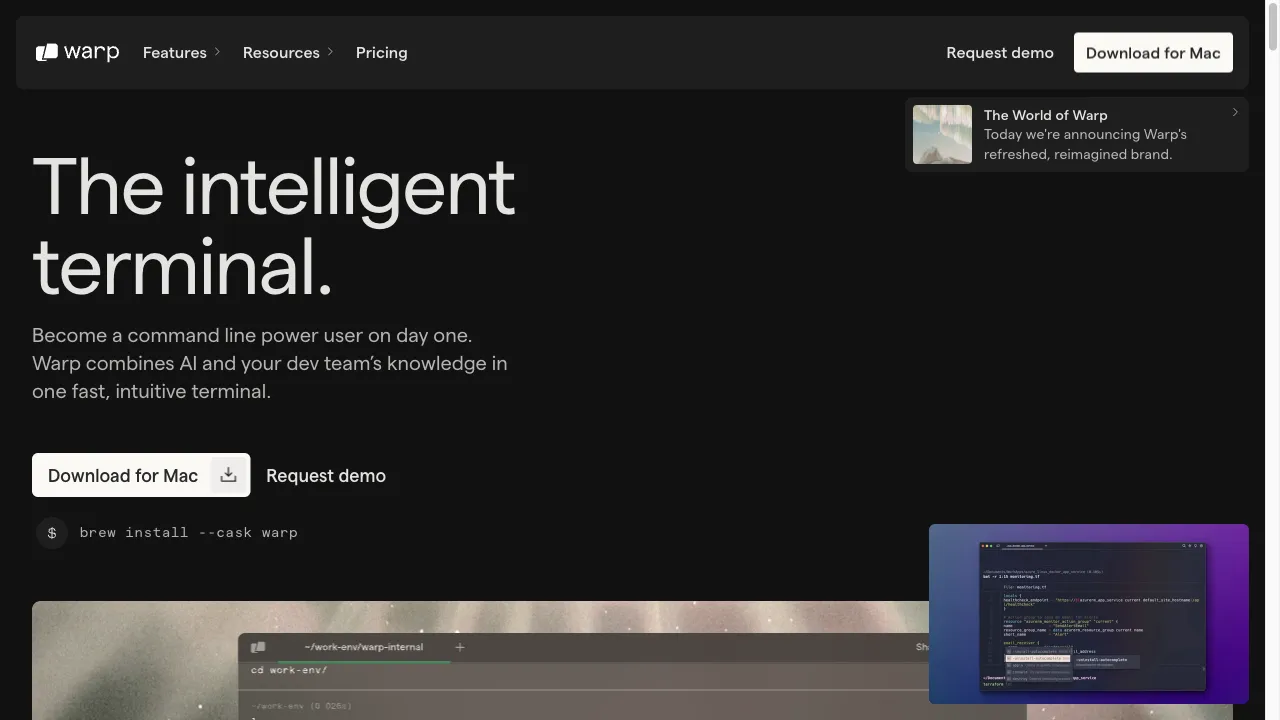
क्या है Warp?
Warp is a next-generation terminal designed to enhance the command-line experience for developers. Built with Rust, it integrates AI-powered auto-completion, real-time collaboration, and a user-friendly interface, promising speed and reliability for both individual developers and teams.
Warp ट्रैफिक एनालिटिक्स
Warp मासिक विजिट
Warp शीर्ष विजिट किए गए देश
Warp शीर्ष कीवर्ड्स
Warp वेबसाइट ट्रैफिक स्रोत
Warp विशेषताएँ
AI-Powered Auto-Completion
Warp utilizes AI to provide intelligent suggestions as users type commands, significantly reducing the time spent on repetitive tasks. This feature enhances productivity by streamlining command entry.
Collaborative Tools
The terminal supports real-time collaboration, allowing multiple users to work on the same terminal session simultaneously. This is particularly beneficial for teams working on shared projects.
Integrated Text Editor
Warp includes a built-in text editor that allows users to edit commands directly within the terminal, enhancing the overall user experience and reducing context switching.
Customizable Themes and Workflows
Users can customize the terminal's appearance and functionality through themes and workflows, which can be shared among team members to enhance collaboration.
Markdown Support
Notebooks can be imported and exported in Markdown format, facilitating documentation and sharing of workflows with ease.
Cross-Platform Availability
Warp is available on both macOS and Linux, with plans for future support on Windows and web platforms, making it accessible to a wider audience.
Warp फायदे
Speed and Performance
Warp is designed for high performance, offering fast boot times and responsive interactions, which can greatly enhance a developer's workflow.
AI Integration
The AI-powered auto-completion and suggestions enhance productivity by reducing the time spent on repetitive tasks, making the development process more efficient.
Collaboration Features
Real-time collaboration tools facilitate teamwork and knowledge sharing among developers, making it easier to work together on projects.
Warp नुकसान
Data Privacy Concerns
Some users have expressed concerns about the requirement to log in, fearing potential data collection and privacy issues.
Limited Extensions
While Warp offers customization options, its extension ecosystem is not as mature as other terminals, which may limit functionality.
Learning Curve
New users may need time to adapt to the unique features and interface of Warp compared to traditional terminals.
उपयोग कैसे करें Warp
Step 1: Installation
Download Warp from the official website warp.dev. The installation process is simple and user-friendly, making it easy for developers to get started.
Step 2: Account Creation
After installation, users are prompted to log in using GitHub, Google, or an email link. This step is necessary to access collaborative features.
Step 3: Exploring Features
Once logged in, users can explore Warp's features, including AI auto-completion, command blocks, and the integrated text editor.
कौन उपयोग कर रहा है Warp
Individual Developers
Solo developers can benefit from Warp's speed and AI features, which streamline their workflow and reduce the time spent on command-line operations.
Team Collaboration
Teams can leverage Warp's collaborative tools to work together in real-time, making it easier to share knowledge and troubleshoot issues.
Learning and Experimentation
New developers can use Warp to learn command-line operations more efficiently, thanks to the AI-powered suggestions and intuitive interface.
टिप्पणियाँ
"Warp has completely transformed my command-line experience. The AI features are a game changer!"
"I love the collaboration tools in Warp. They make working with my team so much easier."
"The speed of Warp is impressive. I can't believe I ever used a traditional terminal!"
संदर्भ
- [1] Warp की समीक्षा: AI-संचालित टर्मिनल.URL:https://medium.com/@zalewski/review-of-warp-the-ai-powered-terminal-422eeb901c55on: 12/31/2022
- [3] Warp: तेज़, Rust-आधारित टर्मिनल.URL:https://www.reddit.com/r/rust/comments/oknas6/warp_the_blazingly_fast_rustbased_terminal/on: 12/31/2022
Warp विकल्प

एक अभिनव AI उपकरण जो उत्पादकता और ध्यान बढ़ाने के लिए है।

A modern web browser focused on design and privacy.

Leading Robotic Process Automation platform for businesses.

टीमों के लिए एक प्रमुख दृश्य सहयोग प्लेटफार्म।

एआई-संचालित लेखन सहायक जो लेखन क्षमताओं को बढ़ाता है।

इंजीनियरिंग टीमों के लिए एक AI प्लेटफार्म।

Maze is a user research platform for rapid testing.

एक AI-चालित नो-कोड स्वचालन प्लेटफॉर्म उत्पादकता के लिए।

A floating note-taking app for capturing thoughts.

Integrate OpenAI's ChatGPT directly into your Chrome browser.

AI-चालित सहायता के लिए एक अभिनव ब्राउज़र एक्सटेंशन।

Aider.chat एक AI-संचालित कमांड-लाइन चैट उपकरण है जो डेवलपर्स के लिए है।

AI-powered platform for automated code reviews.

AI-powered meeting recording and note-taking platform.

एक अभिनव प्लेटफार्म तकनीकी दस्तावेज़ के लिए।

AI-powered code generation tool for developers.