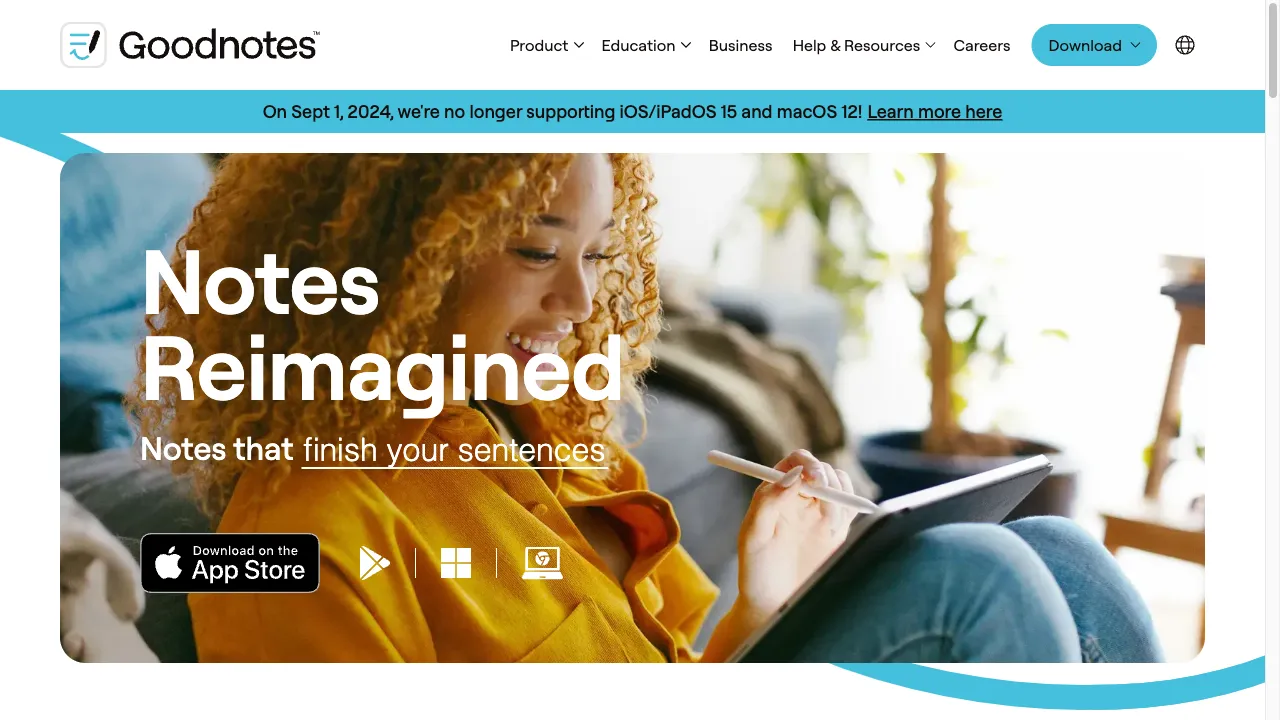
क्या है GoodNotes?
GoodNotes is a popular digital note-taking application designed for students, professionals, and creatives. It offers a user-friendly interface and powerful features, enabling users to create, edit, and organize notes seamlessly across devices. Available on iOS, iPadOS, and macOS, GoodNotes includes a subscription model priced at $6.99 per year, with a one-week free trial for new users. The app's features include handwriting recognition, customizable templates, collaboration tools, multi-device syncing, audio recording, study sets, offline support, and a minimalist design for ease of use.
GoodNotes ट्रैफिक एनालिटिक्स
GoodNotes मासिक विजिट
GoodNotes शीर्ष विजिट किए गए देश
GoodNotes शीर्ष कीवर्ड्स
GoodNotes वेबसाइट ट्रैफिक स्रोत
GoodNotes विशेषताएँ
Handwriting Recognition
GoodNotes utilizes advanced handwriting recognition technology, allowing users to search for handwritten notes and convert them into typed text. This feature enhances the usability of handwritten notes and makes information retrieval much easier.
Customizable Templates
Users can choose from over 50 templates, including blank, graph, and Cornell notes, or create their own custom templates. This flexibility allows for personalized note-taking experiences tailored to individual preferences.
Collaboration Tools
GoodNotes enables users to share notes with others, allowing for real-time collaboration and feedback. This makes it a great tool for group projects and study sessions.
Multi-Device Syncing
The app syncs notes across all devices, ensuring that users have access to their notes wherever they are. This feature is crucial for users who switch between devices frequently.
Audio Recording
Users can record audio while taking notes, which can be synced with the written content for enhanced learning. This feature is particularly useful for lectures or meetings.
Study Sets
GoodNotes includes a feature for creating flashcards based on notes, utilizing spaced repetition and active recall techniques to enhance learning. This helps users study more effectively.
GoodNotes फायदे
Versatile Functionality
GoodNotes supports a wide range of note-taking styles, from handwritten notes to typed text and audio recordings, making it suitable for diverse user preferences.
Seamless Syncing
The ability to sync across devices ensures that users can access their notes anytime, anywhere, providing convenience and flexibility.
Customizable Templates
Users can create personalized templates, enhancing the flexibility of the note-taking process and allowing for tailored experiences.
User-Friendly Interface
The app's intuitive design makes it easy for users to navigate and utilize its features effectively, improving the overall user experience.
GoodNotes नुकसान
Device Limitations
GoodNotes primarily supports Apple devices, limiting accessibility for users on Android or Windows platforms.
Subscription Model
Some users express dissatisfaction with the subscription pricing model, feeling it undermines the initial purchase agreement of previous versions.
Limited Pre-Saved Colors
Users can only pre-save three favorite colors, which may be restrictive for those who prefer a broader palette for their notes.
Editing Limitations
Some users report challenges with editing large PDFs and managing notes across different pages, which can hinder productivity.
उपयोग कैसे करें GoodNotes
Step 1: Download and Install
Users can download GoodNotes from the App Store or access the web version. Installation is straightforward and takes just a few minutes.
Step 2: Create a Notebook
Tap the plus sign to create a new notebook, selecting from various templates that suit your note-taking needs.
Step 3: Start Writing
Use a stylus or finger to write notes, draw diagrams, or annotate PDFs directly within the app, utilizing the advanced handwriting recognition.
Step 4: Organize Notes
Utilize folders and subfolders to categorize notebooks for easy retrieval and organization of your notes.
Step 5: Share and Collaborate
Share notes with others via links, allowing for collaborative editing and feedback, which is especially useful for group projects.
कौन उपयोग कर रहा है GoodNotes
Academic Settings
Students can take lecture notes, create study guides, and organize class materials efficiently, enhancing their learning experience.
Professional Environments
Professionals can use GoodNotes for meeting notes, project management, and brainstorming sessions, improving productivity in the workplace.
Creative Projects
Artists and designers can sketch ideas, create mood boards, and annotate images directly within the app, streamlining their creative process.
Personal Organization
Users can maintain journals, planners, and to-do lists, enhancing their productivity and organization in daily life.
टिप्पणियाँ
"I've been using GoodNotes for a few months now, and it has completely changed the way I take notes. The handwriting recognition is fantastic!"
"GoodNotes is a game changer for my study routine. The ability to create flashcards from my notes is incredibly useful."
"I love the customizable templates! They make my notes look professional and organized."
"The subscription model is a bit frustrating, but overall, the app is worth it for the features it offers."
संदर्भ
- [4] तकनीकी टिप - GoodNotes.URL:https://www.effectiveretailleader.com/effective-retail-leader/tech-tip-good-notes-a-versatile-note-taking-application
- [6] GoodNotes 6 पर Reddit चर्चा.URL:https://www.reddit.com/r/GoodNotes/comments/15oklbw/goodnotes_6_is_fundamentally_wrong_its_simply_an/on: 8/14/2023
GoodNotes विकल्प

AI-powered note-taking application for efficient organization.

A powerful all-in-one productivity tool.

एक AI-संचालित उपकरण जो कुशल नोट-लेखन और सारांशण के लिए है।

एक क्लाउड-आधारित एनीमेशन और वीडियो निर्माण प्लेटफ़ॉर्म।

विभिन्न प्रकार के फॉर्म के लिए एक उन्नत ऑनलाइन फॉर्म बिल्डर।

एक ऑनलाइन क्रिएटिव प्लेटफार्म फोटो संपादन और ग्राफिक डिजाइन के लिए।

एक पेशेवर दस्तावेजों के लिए ऑनलाइन रिज़्यूमे बिल्डर।

A floating note-taking app for capturing thoughts.

एक AI-संचालित उपकरण जो प्रस्तुतियों को आसानी से बनाने के लिए है।

एक डिजिटल नोट-लेने वाला एप्लिकेशन सहज संगठन के लिए।

एक AI-संचालित लेखन सहायक जो कुशल दस्तावेज निर्माण के लिए है।

शैक्षणिक सहभागिता को बढ़ाने के लिए एक इंटरएक्टिव टूल।

Google का एक AI-संचालित नोट-लेने वाला एप्लिकेशन।

AI-powered video creation platform for content creators.

एक AI-संचालित प्रेजेंटेशन सॉफ्टवेयर जो पेशेवर प्रेजेंटेशन बनाने के लिए है।

एक AI-संचालित संगीत निर्माण मंच रचनाकारों के लिए।