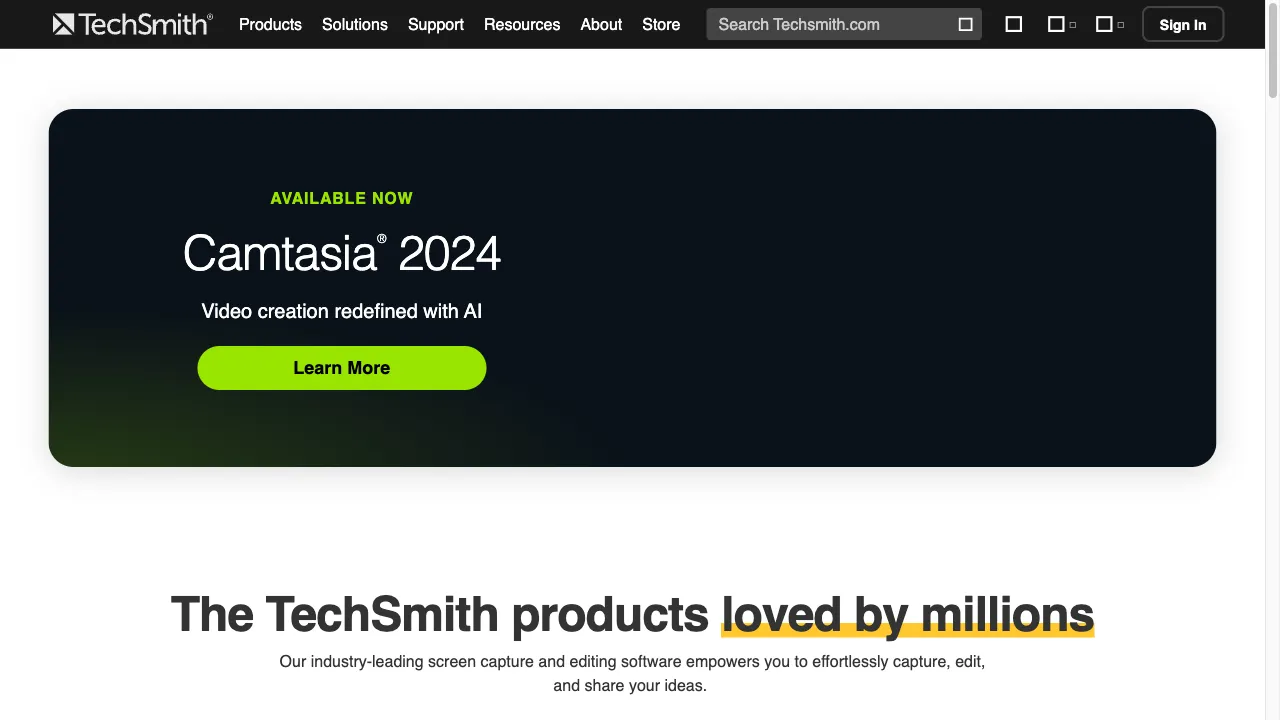
क्या है TechSmith?
TechSmith Corporation, established in 1987, specializes in software solutions for image and video creation, particularly for corporate and academic use. Their flagship products, Snagit and Camtasia, are designed to empower users, especially first-time digital content creators, to produce high-quality visuals and videos with ease. TechSmith's mission is to facilitate knowledge sharing and effective communication through remarkable videos and images. Snagit offers features like screen capture, editing tools, sharing options, and a cloud library, while Camtasia provides screen recording, video editing, interactive features, and customizable templates. These tools are versatile and can be used across various sectors including corporate training, customer support, higher education, and marketing. While both products are user-friendly and come with robust support, potential users should consider budget, system requirements, and the learning curve when choosing TechSmith products.
TechSmith ट्रैफिक एनालिटिक्स
TechSmith मासिक विजिट
TechSmith शीर्ष विजिट किए गए देश
TechSmith शीर्ष कीवर्ड्स
TechSmith वेबसाइट ट्रैफिक स्रोत
TechSmith विशेषताएँ
Screen Capture
Snagit allows users to capture images and videos from their screens, including scrolling windows, which is particularly useful for documentation and tutorials.
Editing Tools
Users can annotate captures with text, arrows, and highlights, making it easier to convey information clearly.
Sharing Options
Snagit supports direct sharing to various platforms, enhancing collaboration and communication.
Cloud Library
Captures can be stored and accessed from multiple devices, ensuring that users can retrieve their work anytime, anywhere.
Screen Recording
Camtasia enables users to record their screens and webcam simultaneously, making it ideal for creating tutorials and software demos.
Video Editing
The software includes a powerful video editor that allows for the addition of effects, transitions, and audio enhancements.
TechSmith फायदे
User-Friendly
Both Snagit and Camtasia are designed with ease of use in mind, making them accessible for beginners and non-professionals.
Comprehensive Features
The tools offer a wide range of features that cater to various content creation needs, from simple screen captures to complex video editing.
Strong Support
TechSmith provides extensive resources, including tutorials, webinars, and customer support, to assist users in maximizing their software experience.
High-Quality Output
Users report that both Snagit and Camtasia produce professional-quality images and videos, enhancing the overall communication effectiveness.
TechSmith नुकसान
Performance Issues
Some users have reported high loading times and rendering issues, particularly with larger files in Camtasia.
Limited Direct Uploads
Users have experienced glitches with the direct upload feature to platforms like YouTube, which can hinder workflow.
Cost
While TechSmith offers powerful tools, the pricing may be a consideration for individuals or small businesses with limited budgets.
उपयोग कैसे करें TechSmith
Step 1: Getting Started with Snagit
1. Download and Install: Users can download Snagit from the TechSmith website and follow the installation instructions. 2. Capture: Select the type of capture (image or video) and use the capture button to record the desired content. 3. Edit: Utilize the editing tools to annotate and enhance the captured content. 4. Share: Export the final product to various formats or share directly to preferred platforms.
Step 2: Getting Started with Camtasia
1. Download and Install: Camtasia can be downloaded from the TechSmith website and installed on compatible devices. 2. Record: Choose to record the screen, webcam, or both, and initiate the recording process. 3. Edit: Use the built-in video editor to trim, cut, and add effects to the recorded footage. 4. Export: Save the video in the desired format or share it directly to platforms like YouTube or Vimeo.
कौन उपयोग कर रहा है TechSmith
Corporate Training
Organizations can create on-demand training videos and guides to enhance employee onboarding and skill development.
Customer Support
TechSmith tools facilitate the creation of instructional videos and documentation, improving customer satisfaction and support efficiency.
Higher Education
Educators can produce engaging content for lessons, tutorials, and presentations, fostering a more interactive learning environment.
Marketing
Marketers can create promotional videos and product demos to effectively communicate their brand message and engage potential customers.
टिप्पणियाँ
"TechSmith has transformed the way we create training materials. Snagit is incredibly easy to use and has made capturing screenshots a breeze!"
"Camtasia is a game-changer for our video tutorials. The editing features are robust and user-friendly, making it accessible for everyone on our team."
"I've been using Snagit for years and it never disappoints. The cloud feature is fantastic for accessing my captures anywhere!"
"Camtasia's interactive features have taken our presentations to the next level. Our audience loves the quizzes embedded in the videos!"
"While I love the features, I've encountered some performance issues with Camtasia. It can be slow at times, especially with larger files."
संदर्भ
- [2] TrustRadius Camtasia Reviews.URL:https://www.trustradius.com/products/camtasia/reviews?qs=product-usage
- [4] TrustRadius Snagit Reviews.URL:https://www.trustradius.com/products/snagit/reviews?qs=pros-and-cons
TechSmith विकल्प

An innovative AI platform for creating visual content.

एक अभिनव AI छवि उत्पादन मंच।

वेब-आधारित फोटो संपादन उपकरण जिसमें एआई सुविधाएँ शामिल हैं।

डिजिटल समाधान के लिए आपकी एकल खिड़की।

एक सरल और प्रभावी वीडियो संपादन टूल

AI का उपयोग करके उन्नत फोटो और वीडियो संवर्धन उपकरण।

AI-powered photo and video editing service.

AI-powered photo and video editing software.

एक AI-संचालित प्लेटफ़ॉर्म जो छवि खोज को बढ़ाता है।

एक AI-संचालित डिज़ाइन उपकरण सामग्री निर्माण के लिए।

AI-powered photo editing platform for enhanced images.

एक AI उपकरण जो वीडियो बैकग्राउंड को आसानी से हटाने के लिए है।

विशिष्ट व्यापार नाम जनरेटर जो त्वरित डोमेन जांच करता है।

A platform enhancing guest experiences in hospitality.

अत्याधुनिक AI सॉफ़्टवेयर जो फोटो संपादन को कुशल बनाता है।

एक उपयोगकर्ता के अनुकूल वीडियो संपादन सॉफ़्टवेयर सभी कौशल स्तरों के लिए।