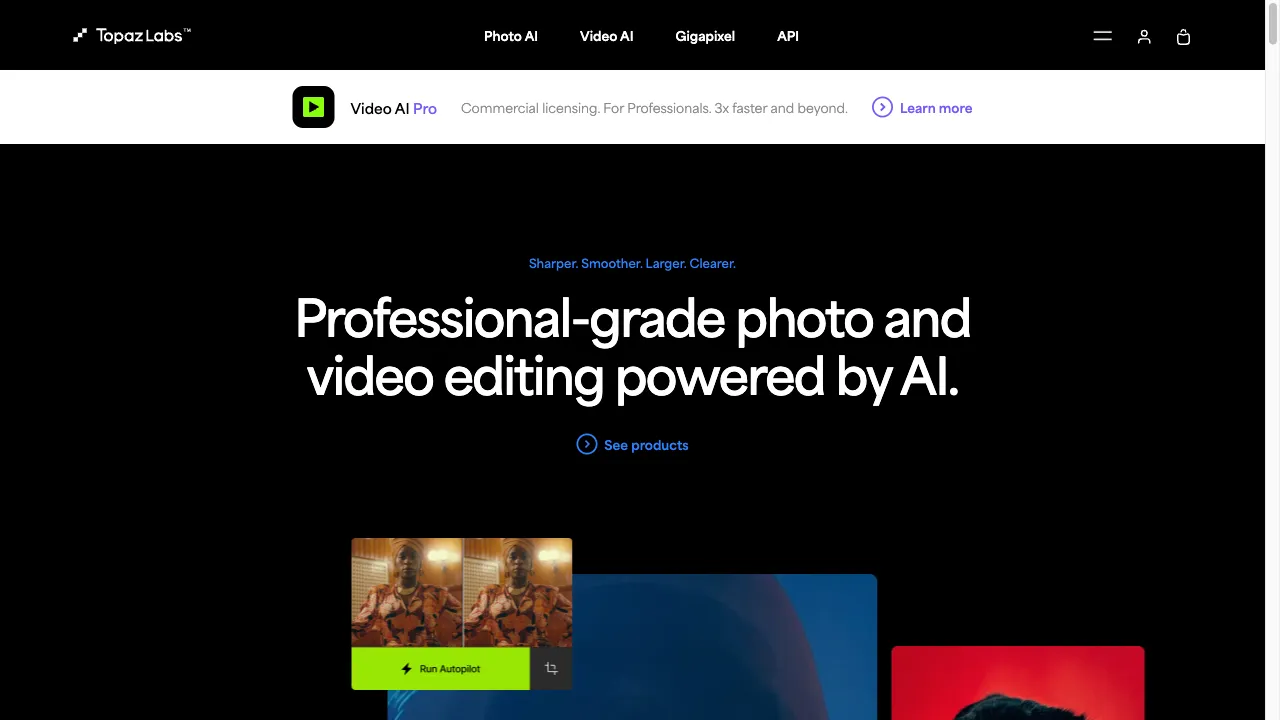
क्या है Topaz Labs?
Topaz Labs, a leading software development company based in Dallas, Texas, specializes in AI-driven photo and video editing solutions. With a strong client base including Apple and NASA, and significant growth in revenue, Topaz Labs is known for its innovative tools like Topaz Photo AI, which integrates features from its previous applications to enhance image quality through advanced deep learning techniques. This report delves into the company's offerings, highlighting their capabilities, user experiences, and more.
Topaz Labs ट्रैफिक एनालिटिक्स
Topaz Labs मासिक विजिट
Topaz Labs शीर्ष विजिट किए गए देश
Topaz Labs शीर्ष कीवर्ड्स
Topaz Labs वेबसाइट ट्रैफिक स्रोत
Topaz Labs विशेषताएँ
AI-Powered Editing
Topaz Labs offers advanced AI-powered editing features including denoising, sharpening, and upscaling. These tools are particularly effective for enhancing images taken in low-light conditions, correcting blurriness, and increasing resolution without loss of detail.
User Interface
The software boasts a revamped user interface that allows for customizable panel arrangements and fast preview updates. It also supports batch processing, enabling users to apply enhancements to multiple images at once.
Integration and Compatibility
Topaz Labs products can be used as standalone applications or as plugins for popular software like Adobe Photoshop and Lightroom. They are compatible with various image file types, including RAW formats.
Local Processing
All image processing is done locally on the user's hardware, which ensures data security and faster processing times compared to cloud-based solutions.
Commercial API
Topaz Labs provides a commercial API, allowing businesses to integrate their AI image enhancement capabilities into custom applications.
Topaz Labs फायदे
High-Quality Results
Users consistently report significant improvements in image quality, particularly in noise reduction and detail enhancement, making Topaz Labs a reliable choice for professional photo editing.
User-Friendly Interface
The consolidated interface simplifies the editing process, making it accessible for users of all skill levels, from beginners to experienced photographers.
Local Processing
Processing images locally ensures data security and faster processing times compared to cloud-based solutions, which is a critical consideration for many users.
Versatile Use
Topaz Labs products can be used as standalone applications or integrated into existing workflows with other software, providing flexibility for different user needs.
Topaz Labs नुकसान
Price Point
The software is relatively expensive, which may deter casual users or hobbyists who are looking for more budget-friendly options.
Performance Issues
Some users have reported bugs and crashes, particularly during export processes, which can be frustrating and impact workflow.
Limited Customization
Compared to the individual applications it replaces, some users feel that Photo AI offers fewer customization options, which may limit creative control.
Rendering Time
Users have noted that rendering times can be slow, especially for high-resolution images, which may hinder efficiency for professionals working under tight deadlines.
उपयोग कैसे करें Topaz Labs
Step 1: Installation
To get started with Topaz Labs, download and install the software from the Topaz Labs website. Follow the on-screen instructions to complete the installation process.
Step 2: Importing Images
Once installed, users can import images directly into the application or open them via compatible software like Photoshop. This flexibility makes it easy to start editing.
Step 3: Applying Enhancements
Select the desired enhancement option, such as denoise, sharpen, or upscale, and adjust the settings according to your preferences. The software provides real-time previews for adjustments.
Step 4: Batch Processing
For users looking to edit multiple images at once, select the batch processing option. This allows you to apply the same enhancements across all selected files efficiently.
Step 5: Exporting
After editing, save the images in various formats, including DNG, to retain quality. Ensure to choose the appropriate format for your intended use.
कौन उपयोग कर रहा है Topaz Labs
Professional Photographers
Topaz Labs products are ideal for professional photographers who require high-quality image enhancements for client work. The software's ability to improve image quality significantly helps photographers deliver stunning results.
Content Creators
Content creators looking to enhance the quality of images for social media or marketing materials can benefit greatly from Topaz Labs' tools. The AI-powered enhancements provide a competitive edge in visual storytelling.
Restoration Projects
Users aiming to restore old or damaged photographs will find Topaz Labs particularly useful. The software's denoising and sharpening capabilities can revive faded images and bring them back to life.
Artists
Artists who want to upscale AI-generated images for sale or display can utilize Topaz Labs to enhance the quality and resolution of their artwork, ensuring it meets professional standards.
टिप्पणियाँ
"Topaz Photo AI has rescued some of my best photos from the recycle bin!" This software is a game-changer for image enhancement!
"I had high hopes for Topaz Labs, but it has been full of bugs for me. Not worth the price!"
"The results are fantastic! I was able to improve my low-light shots significantly. Highly recommend!"
"While the interface is user-friendly, I wish there were more customization options available. Overall, it does the job well."
"Rendering times can be a bit slow, especially for high-resolution images, but the quality is worth the wait."
संदर्भ
- [5] Topaz Labs Official Site.URL:https://www.topazlabs.com/topaz-photo-ai?srsltid=AfmBOoqJHG3WGDtMxgfXTKCCrqd5i_cj02PkGU6gTv_MXwr255qxqcxU
Topaz Labs विकल्प

AI-चालित फोटो संपादन के लिए एक नवोन्मेषी प्लेटफार्म।

A leading provider of image and video creation software.

AI-powered platform for enhancing e-commerce visuals.

3D सामग्री निर्माण के लिए एक अभिनव मंच।

AI-समर्थित फोटो संपादन सॉफ़्टवेयर

एक AI प्लेटफ़ॉर्म जो छवियों को वीडियो में बदलता है।
AI-समर्थित छवि निर्माण और संपादन उपकरण

एक AI-संचालित उपकरण जो प्रस्तुतियों को आसानी से बनाने के लिए है।

AI-powered background removal tool for images.

एक AI-संचालित वीडियो संपादन उपकरण जो आसान वीडियो निर्माण के लिए है।

AI-generated images of human faces for various applications.

अत्याधुनिक AI सॉफ़्टवेयर जो फोटो संपादन को कुशल बनाता है।

AI-powered stock image search engine with free and paid options.

AI-संचालित प्लेटफ़ॉर्म जो बिना ऑन-स्क्रीन प्रतिभा के वीडियो बनाने की सुविधा देता है।

AI-driven platform for professional headshots.

AI-powered platform for generating customizable stock images.