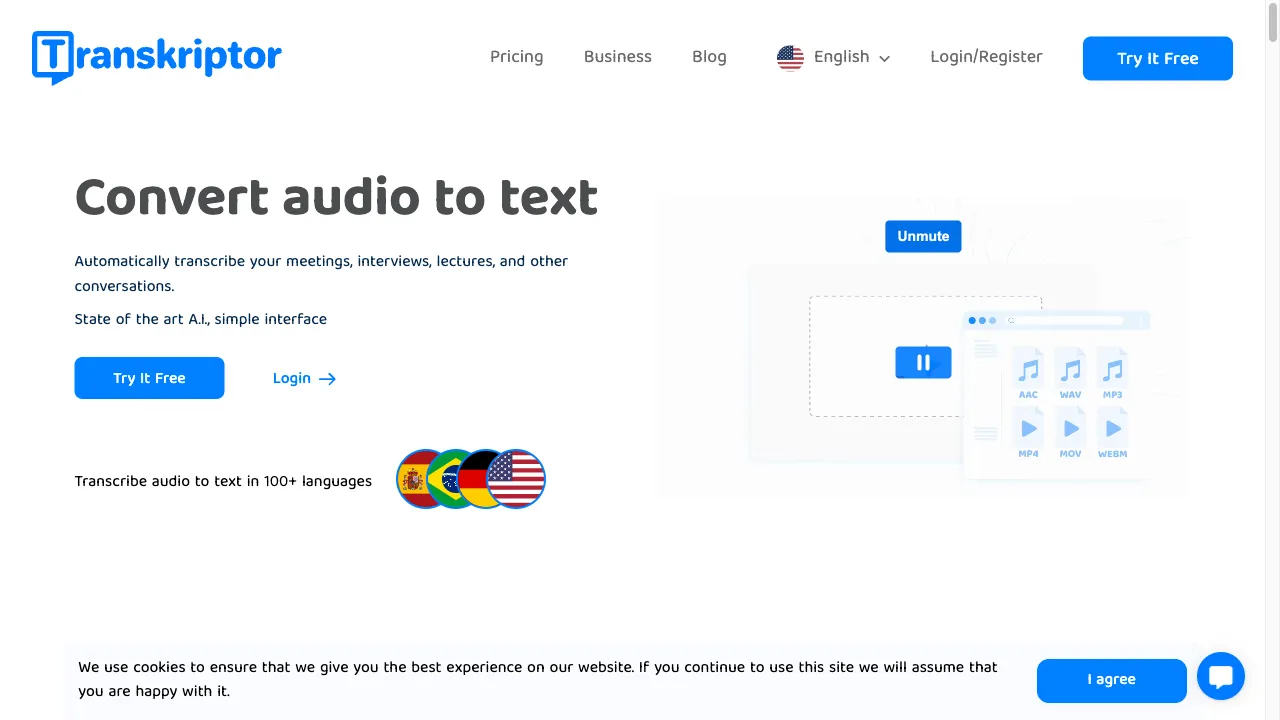
क्या है Transkriptor?
Transkriptor is an AI-driven transcription service that converts audio and video content into text efficiently. It is designed for a wide range of users, including journalists, educators, corporate professionals, and students. The platform can be accessed via web, mobile apps, and browser extensions, making it versatile for various transcription needs. Key features include high accuracy thanks to advanced speech recognition, support for over 100 languages, compatibility with multiple audio and video formats, a user-friendly interface, integration capabilities with third-party applications, and a free trial to test the service before commitment. Transkriptor is particularly beneficial in sectors like e-learning, corporate environments, and media, providing fast and accurate transcriptions that enhance productivity and accessibility.
Transkriptor ट्रैफिक एनालिटिक्स
Transkriptor मासिक विजिट
Transkriptor शीर्ष विजिट किए गए देश
Transkriptor शीर्ष कीवर्ड्स
Transkriptor वेबसाइट ट्रैफिक स्रोत
Transkriptor विशेषताएँ
High Accuracy
Transkriptor utilizes advanced speech recognition technology to achieve up to 99% accuracy in transcription, depending on audio quality, ensuring reliable results for users.
Multilanguage Support
With support for over 100 languages, Transkriptor caters to a global audience, making it suitable for diverse users across different regions.
File Format Compatibility
The service can process various audio and video formats such as MP3, WAV, MP4, and AVI, and allows users to download transcriptions in formats like SRT, TXT, and Word.
User-Friendly Interface
Designed for ease of use, Transkriptor features an intuitive interface that minimizes the learning curve for new users, making transcription accessible to everyone.
Integration Capabilities
Transkriptor offers APIs for integration with third-party applications, enhancing its functionality within existing workflows for businesses and professionals.
Free Trial
Users can explore Transkriptor's features through a free trial, allowing them to assess its effectiveness without any financial commitment.
Transkriptor फायदे
Fast and Accurate
Transkriptor is recognized for its quick turnaround time and high accuracy, significantly reducing the time spent on manual transcription, which is a major advantage for users.
Affordable Pricing
The service is competitively priced, making it accessible for freelancers and small businesses who require transcription services without breaking the bank.
User Support
Users have reported positive experiences with customer service, highlighting the efficiency and responsiveness of the support team in addressing inquiries and issues.
Transkriptor नुकसान
Variable Accuracy
Despite its claims of high accuracy, some users have experienced inconsistencies, particularly when dealing with less common languages or poor audio quality.
Limited Organizational Features
Users have expressed a desire for improved organizational options within the platform, such as the ability to create subfolders or categorize files effectively.
उपयोग कैसे करें Transkriptor
Step 1: Sign Up Process
To begin using Transkriptor, users need to create an account, which can be done using an email address or social media accounts like Google or Facebook. This straightforward sign-up process ensures that users can quickly access the platform and start transcribing their content.
Step 2: Uploading and Recording Files
Users can upload audio or video files by simply dragging and dropping them into the designated area on the platform. Alternatively, they can paste a web link or record directly within Transkriptor. This flexibility allows users to choose the most convenient method for their transcription needs.
Step 3: Receiving Transcriptions
Once the files are uploaded, Transkriptor's AI processes the content and generates a transcription within minutes. Users will receive an email notification when the transcription is ready, ensuring they are promptly informed of the status.
Step 4: Editing Transcriptions
After receiving the transcription, users can utilize the rich text editor provided by Transkriptor to make any necessary corrections or adjustments. This feature allows users to refine their transcriptions before downloading them in their preferred format.
Step 5: Downloading Final Outputs
Once satisfied with the transcription, users can download the final output in various formats such as SRT, TXT, or Word files. This capability ensures that users can easily integrate their transcriptions into other applications or share them with others.
कौन उपयोग कर रहा है Transkriptor
E-Learning Applications
Transkriptor is particularly useful in the e-learning sector, where educators and students can transcribe lectures and webinars. This makes content more accessible and provides a textual base for study materials, benefiting students who prefer reading over auditory learning.
Corporate Transcription Needs
In corporate settings, professionals can utilize Transkriptor to transcribe meetings, interviews, and presentations. This ensures accurate documentation and facilitates better communication within teams, enhancing overall productivity.
Media and Journalism Efficiency
Journalists can leverage Transkriptor to quickly transcribe interviews and press conferences. This allows them to focus more on content creation rather than manual transcription, streamlining their workflow and improving efficiency.
टिप्पणियाँ
"Transkriptor's accuracy is impressive—it’s like having a personal assistant who never misses a word!"
"It is very helpful, it is like magic for those who use it for academic goals."
"The interface is simple and easy to use, making transcription a breeze!"
"I love the multilingual support; it really helps with my international projects."
"The free trial allowed me to test the service thoroughly before subscribing, which I appreciated."
संदर्भ
- [3] Transkriptor उन्नत अनुकूलन सुविधाएँ प्रदान करता है.URL:https://transkriptor.com/transcribe-audio/
- [4] Transkriptor समीक्षा: ट्रांसक्रिप्शन टूल की सुविधाओं और प्रदर्शन का निष्पक्ष विश्लेषण.URL:https://medium.com/@about-ai/transkriptor-review-unbiased-analysis-of-the-transcription-tools-features-and-performance-5dba8e7a6aa7
Transkriptor विकल्प

एक Chrome एक्सटेंशन जो इमर्सिव भाषा सीखने के लिए है।

Advanced AI-driven transcription service for audio and video.

AI-powered app for noise cancellation and transcription.

ऑटोमेटेड ट्रांसक्रिप्शन और सबटाइटलिंग टूल

AI-पावर्ड ट्रांसक्रिप्शन सेवा

AI-powered transcription service for meetings and lectures.

एक बहुपरकारी टेक्स्ट-टू-स्पीच एप्लिकेशन जो पढ़ाई में सुधार करता है।

AI-powered transcription service for accurate results.

एक नवोन्मेषी कंपनी जो AI-आधारित ऑडियो और वीडियो समाधान प्रदान करती है।

एक प्रभावी ट्रांसक्रिप्शन सेवा जो एआई और मानव निगरानी को जोड़ती है।

एक उन्नत AI-चालित ट्रांसक्रिप्शन सेवा पेशेवरों के लिए।

An AI-driven text-to-speech tool for natural audio.

Dictanote और Voice In, उन्नत स्पीच-टू-टेक्स्ट समाधान है।

AI-powered platform for video transcription and editing.

एक AI-संचालित उपकरण जो कुशल ऑडियो संपादन के लिए है।

AI-driven video translation software for global reach.