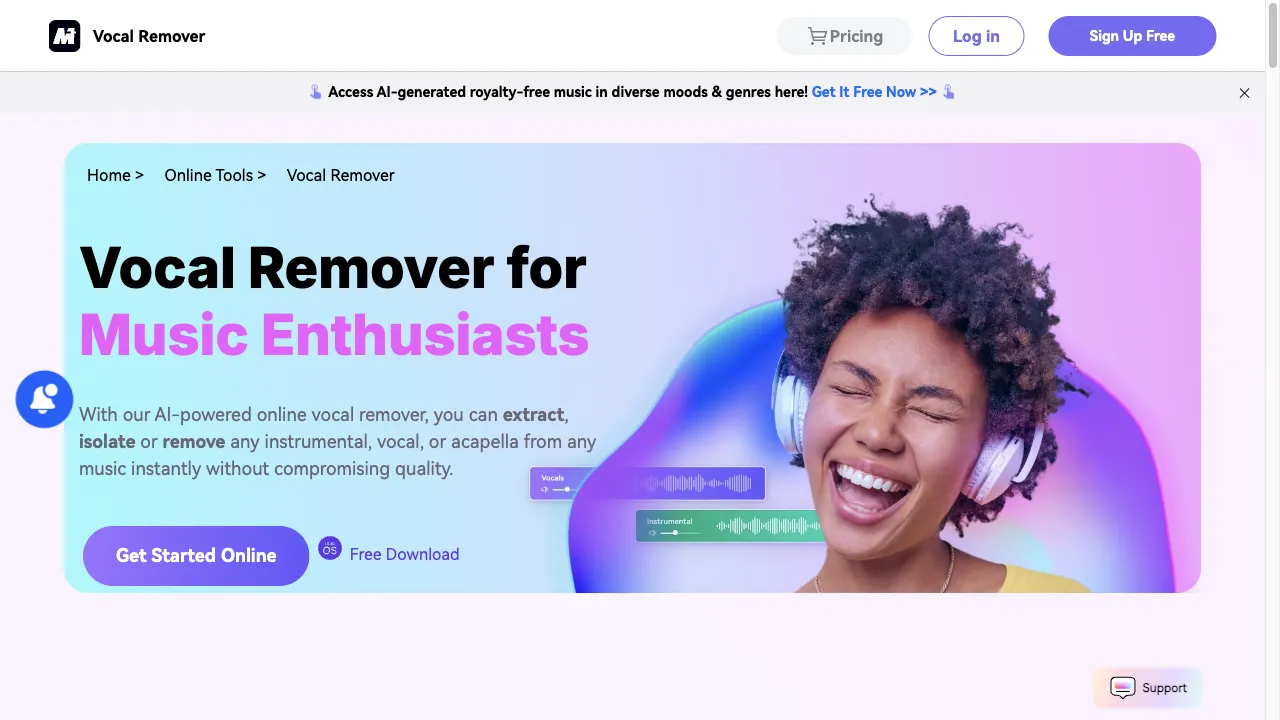
क्या है Media.io AI Vocal Remover?
Media.io AI Vocal Remover is a powerful online tool designed to effortlessly strip away vocals from music tracks. Utilizing cutting-edge AI algorithms, it can accurately separate vocals from instrumentals, allowing users to create karaoke tracks, remixes, or acapella versions of their favorite songs. The tool supports various audio and video formats, including MP3, MP4, and WMV, and operates with high-quality sound output at 44KHz.
Media.io AI Vocal Remover ट्रैफिक एनालिटिक्स
Media.io AI Vocal Remover मासिक विजिट
Media.io AI Vocal Remover शीर्ष विजिट किए गए देश
Media.io AI Vocal Remover शीर्ष कीवर्ड्स
Media.io AI Vocal Remover वेबसाइट ट्रैफिक स्रोत
Media.io AI Vocal Remover विशेषताएँ
AI-Powered Vocal Separation
The tool employs sophisticated AI algorithms to distinguish between vocal and instrumental components of a track, ensuring high accuracy in separation.
User-Friendly Interface
The platform is designed for ease of use, allowing users of all skill levels to navigate and utilize its features without extensive technical knowledge.
Multi-Format Support
Media.io supports a wide range of audio and video formats, making it versatile for different user needs.
High-Quality Output
The tool processes audio files at a high sample rate (44KHz), ensuring that the quality of the output remains intact.
Freemium Model
Users can access basic features for free, with additional premium options available for more advanced functionalities.
Additional Editing Tools
Beyond vocal removal, Media.io provides features for remixing, pitch adjustment, and audio visualization, expanding its utility for music producers and creators.
Media.io AI Vocal Remover फायदे
Free Access
The basic functionality of vocal removal is available for free, making it accessible to a wide audience.
High Accuracy
The AI algorithms provide precise separation of vocals and instrumentals, often yielding better results than manual methods.
Ease of Use
The intuitive interface allows users to navigate the tool without needing extensive technical skills.
Versatile Applications
Suitable for various users, including musicians, video creators, and karaoke enthusiasts.
Quality Output
Maintains high audio quality during the separation process.
Media.io AI Vocal Remover नुकसान
Limited File Format Support
While it supports many formats, some users may find the selection limited compared to other tools.
Freemium Limitations
Advanced features may require a subscription, which could deter users looking for completely free solutions.
Processing Time
Depending on file size, the processing time may vary, which could be a drawback for users needing quick results.
Occasional Distortion
Some users have reported minor audio distortions in the output, particularly with complex tracks.
उपयोग कैसे करें Media.io AI Vocal Remover
Step 1: Visit the Website
Navigate to the Media.io Vocal Remover website.
Step 2: Upload Your File
Click on the 'Choose File' button to select the audio or video file you wish to process. Alternatively, you can drag and drop the file into the designated area.
Step 3: Select Separation Type
Choose the type of separation you want (e.g., 'Vocal & Background Music') and click 'Separate Now' to initiate the process.
Step 4: Preview and Download
Once the separation is complete, preview the output. You can then download either the instrumental or vocal track as per your requirement.
Step 5: Explore Additional Features
After vocal removal, users can explore other editing options available on the platform, such as remixing or pitch adjustment.
कौन उपयोग कर रहा है Media.io AI Vocal Remover
Karaoke Creation
Users can easily create karaoke tracks by removing vocals from their favorite songs, making it ideal for personal enjoyment or public performances.
Music Production
Music producers can isolate instrumental tracks to analyze compositions or create remixes without the original vocals interfering.
Video Editing
Video creators can extract background music or sound effects from videos, enhancing their content without the distraction of vocals.
Practice for Singers
Aspiring singers can use the tool to practice their vocals over instrumental versions of songs, simulating a performance environment.
Educational Purposes
Music educators can utilize the tool to demonstrate vocal techniques or analyze song structures without the original vocals.
टिप्पणियाँ
"This vocal remover tool helps me practice singing at home. The music quality feels like in the program scene."
"I remove the vocals from a song and put my own lyrics instead, and that’s how I create prank videos. My followers love them."
"I extracted vocals from a song and just listened to the accompanied band. Can you believe the spark just came out of my mind? Amazing!"
संदर्भ
Media.io AI Vocal Remover विकल्प

एक नवोन्मेषी एआई प्लेटफ़ॉर्म ऑडियो पृथक्करण के लिए।

AI-powered app for noise cancellation and transcription.

एक ऑनलाइन उपकरण जो संगीत ट्रैकों से वोकल अलग करता है।

AI-generated सामग्री का पता लगाने और मानवता बनाने के लिए एक अभिनव प्लेटफार्म।

AI-powered vocal remover for music tracks.

एक वेब-आधारित प्लेटफ़ॉर्म जो AI का उपयोग करता है।

AI-powered transcription service for audio and video.

एक नवोन्मेषी कंपनी जो AI-आधारित ऑडियो और वीडियो समाधान प्रदान करती है।

AI-powered music production tools for all levels.

एक प्रभावी ट्रांसक्रिप्शन सेवा जो एआई और मानव निगरानी को जोड़ती है।

एक AI उपकरण जो वीडियो बैकग्राउंड को आसानी से हटाने के लिए है।

AI-powered tool for vocal transformation.

AI-powered platform for video transcription and editing.

एक AI-संचालित उपकरण जो कुशल ऑडियो संपादन के लिए है।

AI-powered transcription services and audio processing.

AI-powered song cover generator for creative audio production.