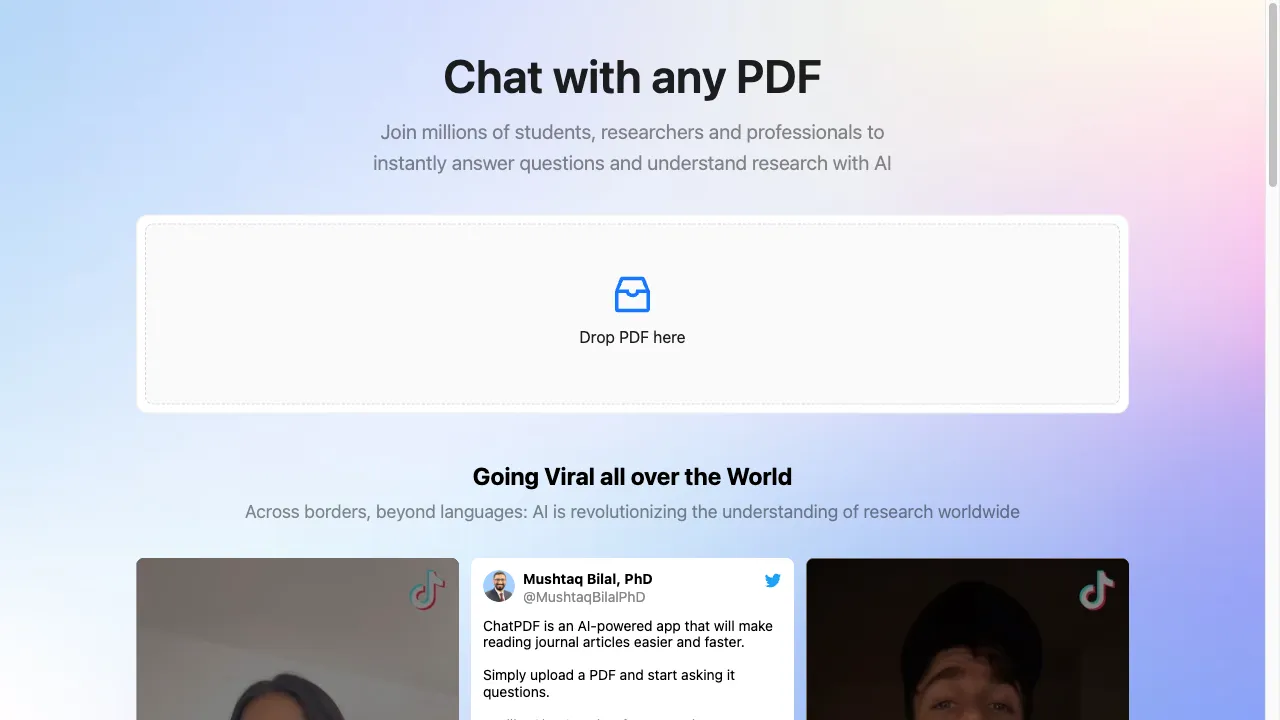
क्या है ChatPDF?
ChatPDF is an innovative AI-powered tool designed to enhance user interaction with PDF documents. By leveraging advanced natural language processing and machine learning, it allows users to engage in conversational dialogues with their PDFs, facilitating information extraction, content summarization, and comprehension of complex documents. It is particularly beneficial for students, researchers, and professionals who frequently work with extensive and intricate documents. This report provides a comprehensive analysis of ChatPDF, detailing its features, use cases, usage instructions, pros and cons, user reviews, and more.
ChatPDF ट्रैफिक एनालिटिक्स
ChatPDF मासिक विजिट
ChatPDF शीर्ष विजिट किए गए देश
ChatPDF शीर्ष कीवर्ड्स
ChatPDF वेबसाइट ट्रैफिक स्रोत
ChatPDF विशेषताएँ
Conversational Interface
Users can ask questions in a natural language format, making the interaction feel seamless and intuitive. This feature allows for a more engaging experience compared to traditional PDF readers.
Multilingual Support
ChatPDF can process PDFs in various languages, allowing users to upload documents in one language and ask questions in another. This feature broadens its accessibility to a global audience.
Summarization Capabilities
The tool can condense lengthy documents into concise summaries, making it easier for users to grasp the main ideas without having to read through the entire text.
Accessibility Features
ChatPDF is designed to be accessible to users with visual impairments, as it works well with screen readers, ensuring that everyone can benefit from the content within PDF documents.
Collaboration Tools
Users can share PDFs via links, allowing team members to independently ask questions and gain insights from the same document. This feature enhances collaborative efforts in research and project work.
Export Functionality
After interacting with a PDF, users can export the entire conversation as a TXT file, which is useful for record-keeping and sharing insights with others.
ChatPDF फायदे
User-Friendly Interface
The intuitive chat interface simplifies the process of finding information within PDFs, making it accessible to non-technical users.
Generous Free Plan
ChatPDF offers a free plan that allows users to upload up to three PDFs per day, each with a maximum of 120 pages, which is more generous than many competitors.
Multilingual Capabilities
The ability to interact with PDFs in multiple languages enhances its usability for a diverse user base.
ChatPDF नुकसान
Limitations on Free Plan
The free plan restricts users to three uploads per day, which may not be sufficient for heavy users.
Struggles with Complex Queries
ChatPDF may struggle with intricate questions that require a deeper understanding of the content, potentially limiting its effectiveness in certain scenarios.
No Chrome Extension
Unlike some competitors, ChatPDF does not offer a Chrome extension, which could limit its accessibility for users who prefer browser-based tools.
उपयोग कैसे करें ChatPDF
Step 1: Upload Your PDF
Visit the ChatPDF website and upload your PDF file by dragging it into the designated area or selecting it from your device.
Step 2: Interact with the Chatbot
Once the PDF is uploaded, the chatbot will provide a brief summary and suggest questions you can ask. You can start typing your queries to receive instant answers.
Step 3: Explore Further
You can ask follow-up questions or request summaries of specific sections to deepen your understanding of the document.
Step 4: Export Your Conversation
After your session, you can export the chat as a TXT file for future reference.
कौन उपयोग कर रहा है ChatPDF
Academic Research
Researchers can use ChatPDF to quickly extract and analyze data from published studies, facilitating faster insights and breakthroughs in their fields.
Professional Document Review
Professionals dealing with complex reports, legal documents, or financial statements can utilize ChatPDF to navigate through dense information efficiently.
Student Learning
Students can benefit from ChatPDF when studying academic papers or textbooks, as it helps them understand difficult concepts and summarize key points.
टिप्पणियाँ
"ChatPDF has completely changed the way I interact with my research papers! The ability to ask questions and get instant answers is a game-changer."
"I love how user-friendly ChatPDF is. I can finally make sense of all my complex documents without getting overwhelmed."
"The multilingual support is amazing! I often work with documents in different languages and this feature makes it so much easier."
"While I appreciate the free plan, I wish it allowed for more uploads. Sometimes I have too many documents to handle in a single day."
"The summarization feature is fantastic! It saves me so much time when I need to get the gist of a long report."
संदर्भ
- [4] Tools for Humans ChatPDF Features.URL:https://www.toolsforhumans.ai/ai-tools/chatpdfon: 12/31/2023
- [5] ZDNet Guide on How to Use ChatPDF.URL:https://www.zdnet.com/article/how-to-use-chatpdf-the-ai-chatbot-that-can-tell-you-everything-about-your-pdf/on: 12/31/2023
- [6] Community OpenAI Discussion on ChatPDF.URL:https://community.openai.com/t/chatpdf-com-chat-with-any-pdf-using-the-new-chatgpt-api/81446on: 12/31/2023
ChatPDF विकल्प

एक बहुपरकारी PDF संपादन समाधान जिसमें AI क्षमताएँ हैं।

एक AI-संचालित ब्राउज़र एक्सटेंशन जो सामग्री का सारांश बनाता है।

एक वेबासाइट आधारित प्लेटफॉर्म जो शोधकर्ताओं को सहायक का अन्वेषण करने में मदद करता है।

एक अभिनव AI प्लेटफार्म जो इंटरैक्टिव PDF जुड़ाव के लिए है।

AI tool for interactive PDF document management.

एक संपूर्ण ऑनलाइन PDF समाधान संपादन और रूपांतरण के लिए।

AI-powered online platform for PDF management.

Convert PDF documents into Anki flashcards easily.

एक अभिनव AI उपकरण PDF इंटरैक्शन के लिए।

AI-चालित सहायता के लिए एक अभिनव ब्राउज़र एक्सटेंशन।

AI-powered tool for efficient document interaction.

AI-जनित पाठ को मानव-समान सामग्री में आसानी से परिवर्तित करें।

एक अभिनव प्लेटफ़ॉर्म जो अनियंत्रित NSFW कैरेक्टर AI चैटबॉट इंटरएक्शन के लिए है।

AI-powered presentation toolkit for effortless slide creation.

एक नवीन AI चैटबॉट प्लेटफ़ॉर्म जो उपयोगकर्ता की गोपनीयता पर ध्यान केंद्रित करता है।

A versatile tool for managing PDF documents effectively.