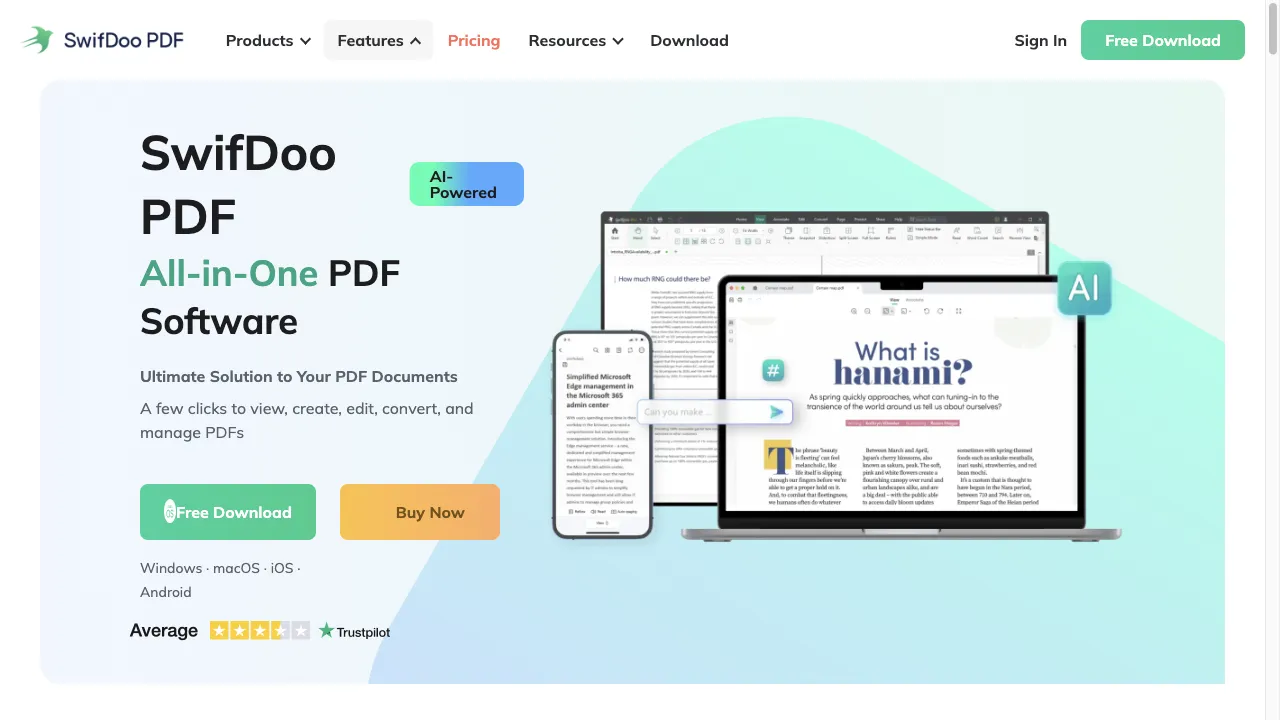
क्या है SwifDoo PDF?
SwifDoo PDF is a professional PDF processing software that integrates various functionalities essential for managing PDF documents. It is designed for both individual users and businesses, offering an intuitive interface and robust features that streamline document workflows. The software supports multiple platforms, making it accessible for users across different devices. Users can edit text, images, and other elements within PDF files, convert PDFs into various formats, compress files to reduce size, annotate documents, utilize OCR technology, and enjoy seamless cloud integration. With strong security features, SwifDoo PDF ensures that sensitive information is protected while providing a user-friendly experience.
SwifDoo PDF ट्रैफिक एनालिटिक्स
SwifDoo PDF मासिक विजिट
SwifDoo PDF शीर्ष विजिट किए गए देश
SwifDoo PDF शीर्ष कीवर्ड्स
SwifDoo PDF वेबसाइट ट्रैफिक स्रोत
SwifDoo PDF विशेषताएँ
PDF Editing
Users can edit text, images, and other elements within PDF files. The software allows for the addition of watermarks, links, headers, footers, and even drawings or stamps.
PDF Conversion
SwifDoo PDF enables users to convert PDF files into various formats, including Word, Excel, and PowerPoint, facilitating easier editing and sharing of documents.
PDF Compression
The software offers tools to compress PDF files, reducing their size without compromising quality, which is particularly useful for email attachments and online sharing.
Document Annotation
Users can annotate PDFs by adding comments, highlights, and notes, enhancing collaboration and feedback processes.
OCR Technology
SwifDoo PDF includes Optical Character Recognition (OCR) capabilities, allowing users to convert scanned documents into editable and searchable formats.
User-Friendly Interface
The interface is designed to be intuitive, making it easy for both beginners and advanced users to navigate and utilize its features effectively.
SwifDoo PDF फायदे
Comprehensive Features
SwifDoo PDF offers a wide range of functionalities that cover most PDF-related needs.
User-Friendly
The intuitive interface makes it accessible for users of all skill levels.
Fast Performance
The software is lightweight, ensuring quick loading times and efficient processing.
Integration with Cloud Services
Users can easily save and access documents from various cloud platforms.
Strong Security Measures
The software provides robust security features to protect sensitive information.
SwifDoo PDF नुकसान
Limited Free Version
While SwifDoo PDF offers a free trial, some advanced features may require a paid subscription.
Learning Curve for Advanced Features
Although the interface is user-friendly, some advanced functionalities may require time to master.
Occasional Bugs
Some users have reported occasional bugs or glitches, though these are typically resolved in updates.
Dependency on Internet for Cloud Features
Certain features, especially those related to cloud integration, require an active internet connection.
Cost of Full Version
The cost of the full version may be a consideration for users on a tight budget.
उपयोग कैसे करें SwifDoo PDF
Step 1: Download and Install
Users can download the software from the official SwifDoo PDF website and install it on their devices.
Step 2: Open a PDF File
Launch the application and open the PDF file that needs editing or conversion.
Step 3: Utilize Features
Users can access various tools from the main interface, including editing, converting, compressing, and annotating options.
Step 4: Save Changes
After making the necessary changes, users can save the document in the desired format or upload it directly to a cloud service.
Step 5: Security Settings
For sensitive documents, users can set password protection and permissions before sharing.
कौन उपयोग कर रहा है SwifDoo PDF
Business Documentation
Companies can use SwifDoo PDF for creating, editing, and managing contracts, proposals, and reports.
Academic Purposes
Students and educators can annotate lecture notes, convert research papers, and manage academic documents efficiently.
Personal Use
Individuals can edit personal documents, compress files for sharing, and manage receipts or important paperwork.
Collaboration
Teams can collaborate on projects by annotating and sharing PDFs, ensuring all members have access to the latest versions.
Remote Work
With its cloud integration, SwifDoo PDF is ideal for remote teams needing to access and edit documents from different locations.
टिप्पणियाँ
"SwifDoo PDF has transformed how I manage my documents. The editing features are fantastic!"
"I love the OCR functionality. It makes working with scanned documents so much easier!"
"The user interface is so intuitive; I was able to start using it right away without any tutorials."
"Great software! The cloud integration is a game-changer for my workflow."
"I highly recommend SwifDoo PDF for anyone needing a reliable PDF tool."
संदर्भ
SwifDoo PDF विकल्प

AI-powered PDF interaction tool

A powerful office suite for document management.

पुस्तक प्रेमियों के लिए एक आधुनिक ट्रैकिंग प्लेटफार्म।

एक अभिनव प्लेटफार्म चेहरे के स्वैपिंग और कला निर्माण के लिए।

एक AI-चालित नो-कोड स्वचालन प्लेटफॉर्म उत्पादकता के लिए।

एक शक्तिशाली CRM प्लेटफ़ॉर्म डेटा संवर्धन और आउटरीच के लिए।

एक वेबासाइट आधारित प्लेटफॉर्म जो शोधकर्ताओं को सहायक का अन्वेषण करने में मदद करता है।

एक अभिनव AI प्लेटफार्म जो इंटरैक्टिव PDF जुड़ाव के लिए है।

AI tool for interactive PDF document management.

एक संपूर्ण ऑनलाइन PDF समाधान संपादन और रूपांतरण के लिए।

एक AI-संचालित लेखन सहायक शैक्षणिक लेखन के लिए।

AI-powered online platform for PDF management.

एक सुविधाजनक सेवा जो अनुपालन पासपोर्ट फोटो प्राप्त करने के लिए है।

एक अभिनव AI उपकरण PDF इंटरैक्शन के लिए।

एक AI-संचालित व्यक्तिगत सहायिका जो दैनिक जीवन को सरल बनाती है।

AI-powered tool for PDF document analysis.