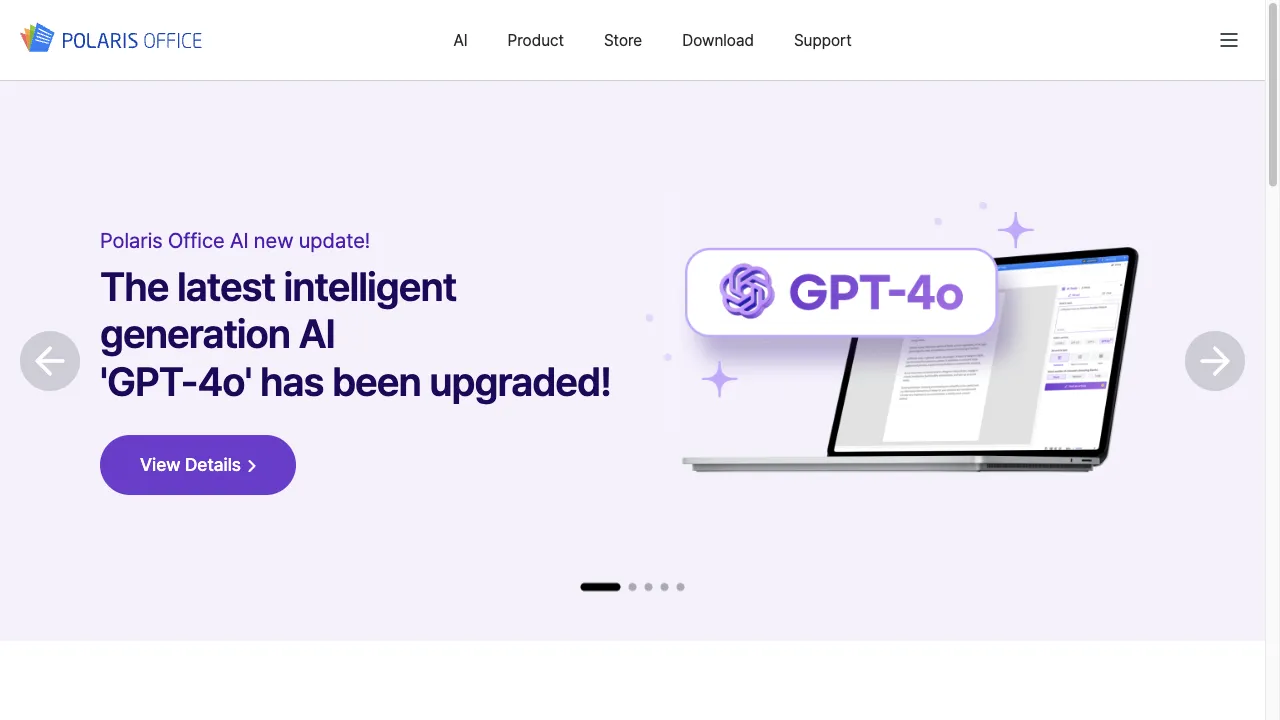
क्या है Polaris Office?
Polaris Office is a versatile office suite developed by Infraware Inc., designed for document creation, editing, and management across platforms like Android, iOS, Windows, and macOS. With over 100 million cloud subscribers, it supports various file formats and integrates with cloud services, ensuring accessibility and collaboration for users. Its user-friendly interface and robust features make it suitable for businesses, students, and remote teams alike.
Polaris Office ट्रैफिक एनालिटिक्स
Polaris Office मासिक विजिट
Polaris Office शीर्ष विजिट किए गए देश
Polaris Office शीर्ष कीवर्ड्स
Polaris Office वेबसाइट ट्रैफिक स्रोत
Polaris Office विशेषताएँ
Cross-Platform Compatibility
Polaris Office is available on multiple platforms like Windows, macOS, Android, and iOS, allowing users to work seamlessly across devices.
Document Editing and Management
Supports a wide range of file formats enabling users to create, edit, and manage documents with features like real-time collaboration and commenting.
Cloud Integration
Integrates with various cloud storage providers, allowing users to save and access documents from anywhere, crucial for remote work.
User-Friendly Interface
Boasts a clean and intuitive interface, making it easy for users to navigate and utilize features without extensive training.
Security Features
Built on a secure cloud infrastructure with data encryption and secure sharing options to protect users' data.
SmartBudget Tool
Helps organizations optimize pricing and revenue by providing visibility into costs, utilization, and margins.
Polaris Office फायदे
Cross-Platform Availability
Users can access their documents on various devices, which enhances flexibility and productivity.
Comprehensive Editing Tools
Supports multiple file formats and offers robust editing features that cater to various document types.
Cloud Integration
Easy access to documents from anywhere with internet connectivity, facilitating remote work.
User-Friendly Interface
Intuitive design that enhances user experience and reduces the learning curve.
Collaboration Features
Real-time editing and commenting facilitate teamwork and improve communication.
Polaris Office नुकसान
Subscription-Based Model
Some features may require a paid subscription, which could be a barrier for some users.
Limited Offline Functionality
While documents can be downloaded, some features may not be available offline, limiting usability.
Performance Issues
Some users report lag or performance issues, especially with larger documents, impacting productivity.
उपयोग कैसे करें Polaris Office
Step 1: Download and Install
Users can download Polaris Office from the official website or app stores for their respective platforms, ensuring they have the latest version.
Step 2: Create an Account
To access cloud features, users need to create a Polaris Office account, which allows for document synchronization and collaboration.
Step 3: Upload Documents
Users can upload existing documents to the cloud or create new documents directly within the application, making document management easier.
Step 4: Edit and Collaborate
Users can edit documents, leave comments, and collaborate with others in real-time, enhancing teamwork and productivity.
Step 5: Save and Share
Documents can be saved to the cloud or downloaded for offline use, and users can share documents via email or direct links.
कौन उपयोग कर रहा है Polaris Office
Businesses
Polaris Office is ideal for businesses that need to create reports, presentations, and spreadsheets, providing tools for collaboration and document management.
Students
Students can use Polaris Office to prepare assignments and collaborate on projects, making it easier to work in groups and share resources.
Freelancers
Freelancers benefit from Polaris Office for managing client documents and proposals, allowing for efficient document handling and communication.
Remote Teams
Remote teams can utilize Polaris Office to facilitate collaboration and document management across different locations, enhancing productivity.
टिप्पणियाँ
"Polaris Office has transformed the way I manage documents! The cloud features are a lifesaver."
"I love the real-time collaboration tools; they make working with my team so much easier!"
"The user interface is so intuitive that I was able to start using it right away without any training."
"While I appreciate the features, I wish there were more options available offline."
"Overall, a great suite for anyone needing robust document management and editing capabilities."
संदर्भ
- [1] Polaris PSA Reviews: Pricing & Software Features 2024.URL:https://reviews.financesonline.com/p/polaris-psa/on: 12/31/2023
Polaris Office विकल्प

स्प्रेडशीट्स के लिए एक नो-कोड डेटा प्रबंधन समाधान।

एक उत्पादकता उपकरण जो संचार और कार्यप्रवाह को बढ़ाता है।

AI-powered online platform for PDF management.

WhatsApp संचार प्रबंधन के लिए एक विशेष प्लेटफ़ॉर्म।

एक लाइव बातचीत मंच व्यवसायों के लिए।

एक बहुपरकारी प्लेटफ़ॉर्म प्रभावी जानकारी प्रबंधन के लिए।

स्पार्क मेल एक कुशल ईमेल प्रबंधन ऐप है।

एक AI-चालित नो-कोड प्लेटफॉर्म ऐप विकास के लिए।

एक बहुपरकारी दस्तावेज़ और नोट-लेखन एप्लिकेशन।

एक स्मार्ट ईमेल क्लाइंट जो गोपनीयता और दक्षता को प्राथमिकता देता है।

AI-powered platform for efficient contract review.

एक AI-संचालित व्यक्तिगत सहायिका जो दैनिक जीवन को सरल बनाती है।

एक AI-संचालित प्लेटफ़ॉर्म जो रिज़्यूमे और कवर लेटर ऑप्टिमाइज़ेशन के लिए है।

एक AI-संचालित प्रेजेंटेशन सॉफ्टवेयर जो पेशेवर प्रेजेंटेशन बनाने के लिए है।

An advanced platform for automating customer interactions.

A versatile tool for managing PDF documents effectively.