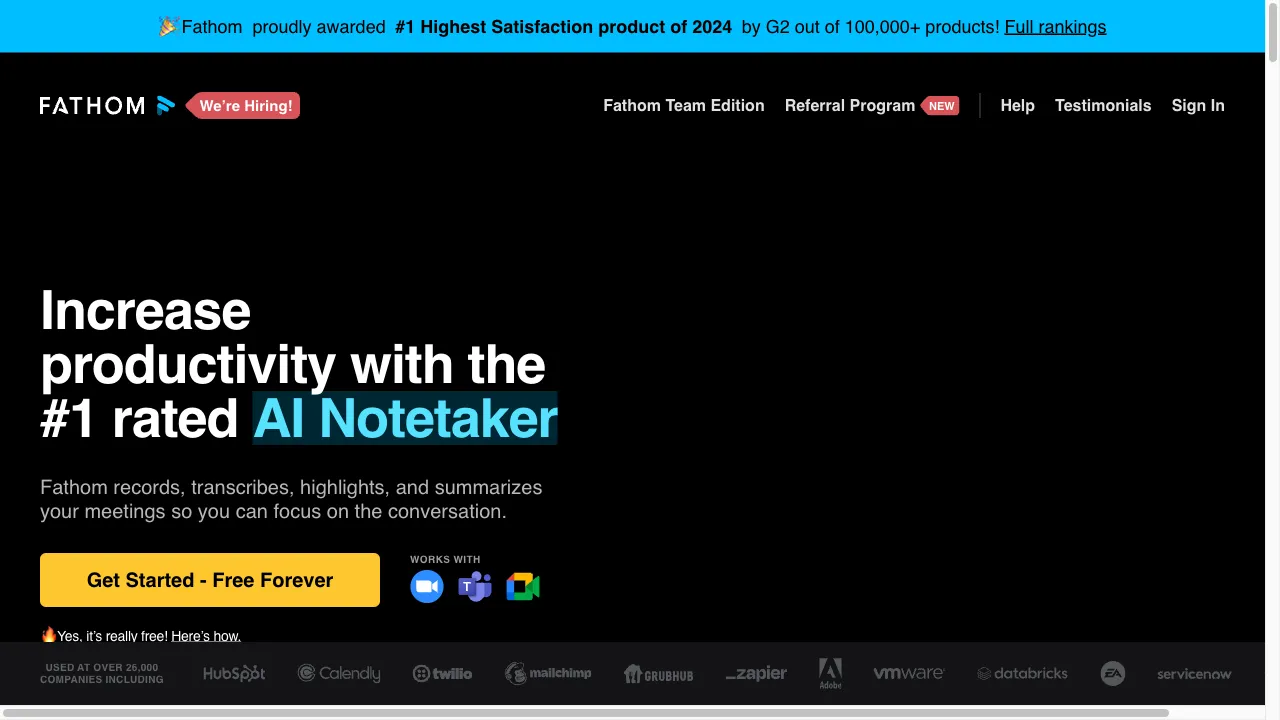
क्या है Fathom Video?
Fathom Video is an advanced AI-driven meeting assistant that integrates with platforms like Zoom, Google Meet, and Microsoft Teams. It automates meeting recordings and transcriptions, enabling users to focus on discussions rather than note-taking. With features like real-time transcription, AI-generated summaries, and integration with other tools, Fathom streamlines the process of information sharing, making it ideal for professionals conducting user interviews, training sessions, or client meetings.
Fathom Video ट्रैफिक एनालिटिक्स
Fathom Video मासिक विजिट
Fathom Video शीर्ष विजिट किए गए देश
Fathom Video शीर्ष कीवर्ड्स
Fathom Video वेबसाइट ट्रैफिक स्रोत
Fathom Video विशेषताएँ
Automatic Recording
Fathom allows users to set up automatic recording for meetings, ensuring that no important discussion is missed and eliminating the need for manual recording.
Real-Time Transcription
The tool provides real-time transcription of meetings, enabling users to search for specific topics or phrases discussed during the conversation.
AI-Generated Summaries
After meetings, Fathom generates concise summaries that highlight key points, aiding in quick reviews and follow-ups.
Highlighting and Bookmarking
Users can highlight important moments during meetings and create bookmarks for easy reference later.
Integration with Other Tools
Fathom integrates with various platforms like Slack and CRM systems, allowing seamless sharing of insights and data.
User-Friendly Interface
Designed for ease of use, Fathom's interface allows users to navigate effortlessly and find recordings without hassle.
Fathom Video फायदे
Enhanced Focus
By automating note-taking, Fathom allows users to engage more fully in conversations.
Time-Saving
The AI-generated summaries and transcripts significantly reduce the time spent on post-meeting documentation.
Improved Collaboration
The ability to share highlights and action items fosters better communication among team members.
User-Friendly
The interface is intuitive, making it easy for users to navigate and utilize features effectively.
Security
Fathom employs security best practices, including end-to-end encryption and compliance with privacy regulations.
Fathom Video नुकसान
Interface Issues
Some users have reported that the interface can be cumbersome, requiring multiple steps to access recordings.
Customer Support Delays
There are mentions of slow response times from customer support, which can be frustrating for users needing immediate assistance.
Learning Curve
New users may experience a learning curve when first using the platform, particularly in navigating its various features.
उपयोग कैसे करें Fathom Video
Step 1: Installation
Users need to install the Fathom app from the Zoom Marketplace. After installation, they must sign in and authorize the app to access their Zoom account.
Step 2: Starting a Meeting
Once in a Zoom meeting, users can launch the Fathom app from the Zoom Apps icon.
Step 3: Recording
Users can start recording by clicking the green button or enabling auto-record in the settings.
Step 4: During the Meeting
Users can utilize the live panel to highlight key moments, create bookmarks, and track action items.
Step 5: Post-Meeting
After the meeting, users can access the call view to review the recording, transcript, and summaries. They can also share links to recordings and specific highlights with colleagues or clients.
कौन उपयोग कर रहा है Fathom Video
User Research
Product managers and researchers can use Fathom to conduct user interviews, capturing insights without the distraction of note-taking.
Training Sessions
Organizations can utilize Fathom to record training sessions, providing new employees with access to valuable resources.
Client Meetings
Sales and customer success teams can record client meetings, ensuring that all details are captured and easily retrievable.
Team Collaboration
Teams can share highlights and summaries from meetings, fostering better communication and collaboration.
टिप्पणियाँ
"Fathom has completely transformed how we conduct meetings! I can finally focus on the conversation instead of jotting down notes."
"The transcription accuracy is impressive, and sharing clips with my team has never been easier. Highly recommend!"
"I found the interface a bit confusing at first, but once I got the hang of it, it became much easier to use."
"Customer support took longer than expected to respond to my query, which was frustrating during a busy workweek."
"Overall, Fathom is a great tool, but they need to work on their support response times."
संदर्भ
Fathom Video विकल्प

एक क्लाउड-आधारित वीडियो संपादन प्लेटफॉर्म सभी स्तरों के लिए।

AI-आधारित ट्रांसक्रिप्शन और मीटिंग प्रबंधन टूल।

डिजिटल समाधान के लिए आपकी एकल खिड़की।

A versatile digital note-taking app for various users.

A powerful all-in-one productivity tool.

सुपरह्यूमन एक प्रीमियम ईमेल क्लाइंट है जो उत्पादकता बढ़ाने के लिए डिज़ाइन किया गया है।

एक क्लाउड-आधारित एनीमेशन और वीडियो निर्माण प्लेटफ़ॉर्म।

एक वेब-आधारित मंच जो पॉडकास्टिंग को सरल बनाता है।

A floating note-taking app for capturing thoughts.

एक उत्पादकता उपकरण जो संचार और कार्यप्रवाह को बढ़ाता है।

एक AI-संचालित उपकरण जो प्रस्तुतियों को आसानी से बनाने के लिए है।

AI-powered meeting recording and note-taking platform.

AI-powered video studio for easy video creation.

एक AI-संचालित ट्रांसक्रिप्शन सेवा ऑडियो और वीडियो फ़ाइलों के लिए।

एक AI-संचालित संगीत निर्माण मंच रचनाकारों के लिए।

AI टूल्स खोजने के लिए एक व्यापक प्लेटफ़ॉर्म।